

Building an enterprise security suite
for AI Hub

Enterprise authentication & authorization: SSO, RBAC, & API access.

NDA note: customer names and numbers are generalised or removed throughout.
Product:Instabase AI Hub (multi & single-tenant)
Team:Me (Design lead), 1 PM, 1 eng lead, 2 devs, Docs & pre-sales
Role:Senior Product Designer
Time:Multiple releases across ~ 4 months
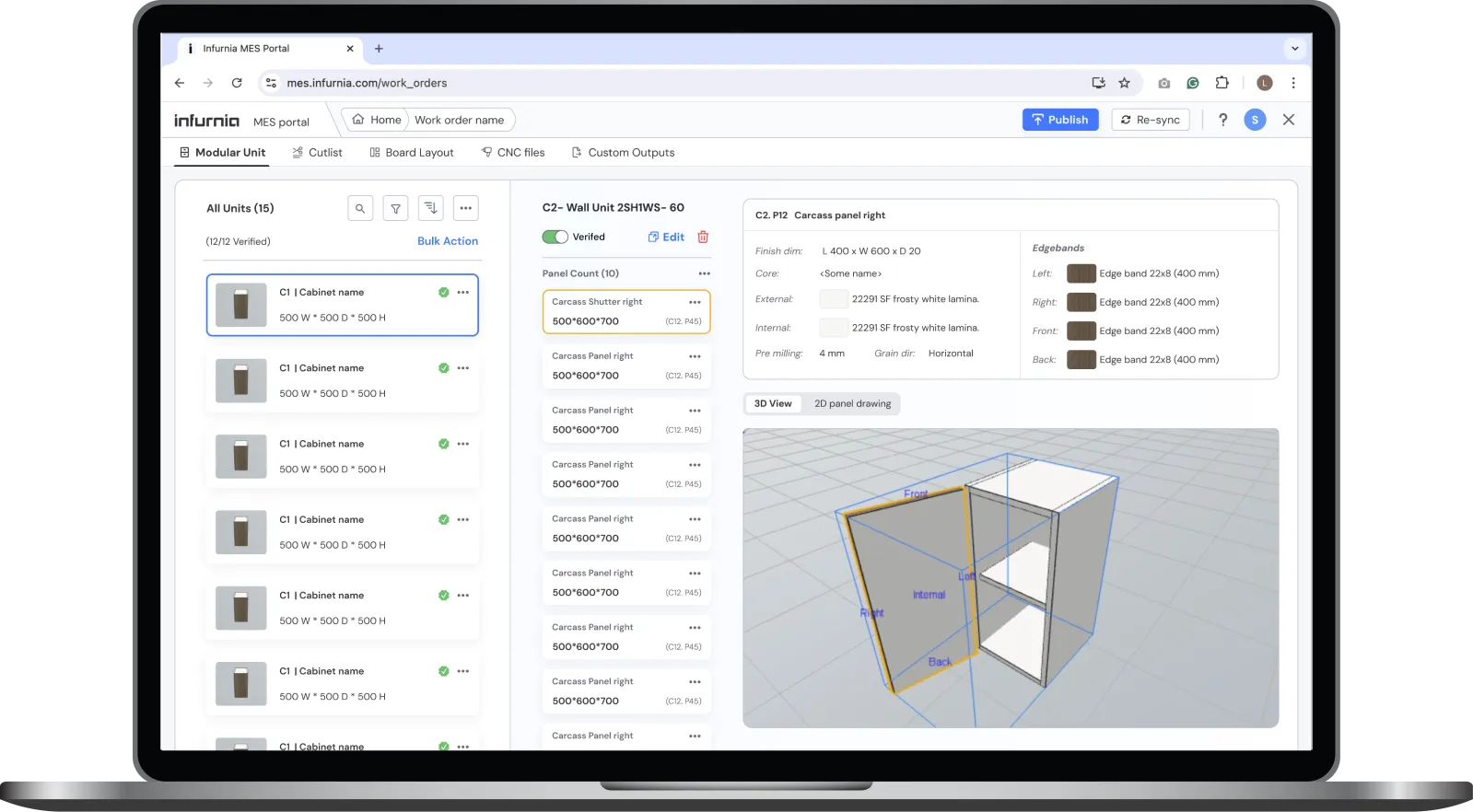
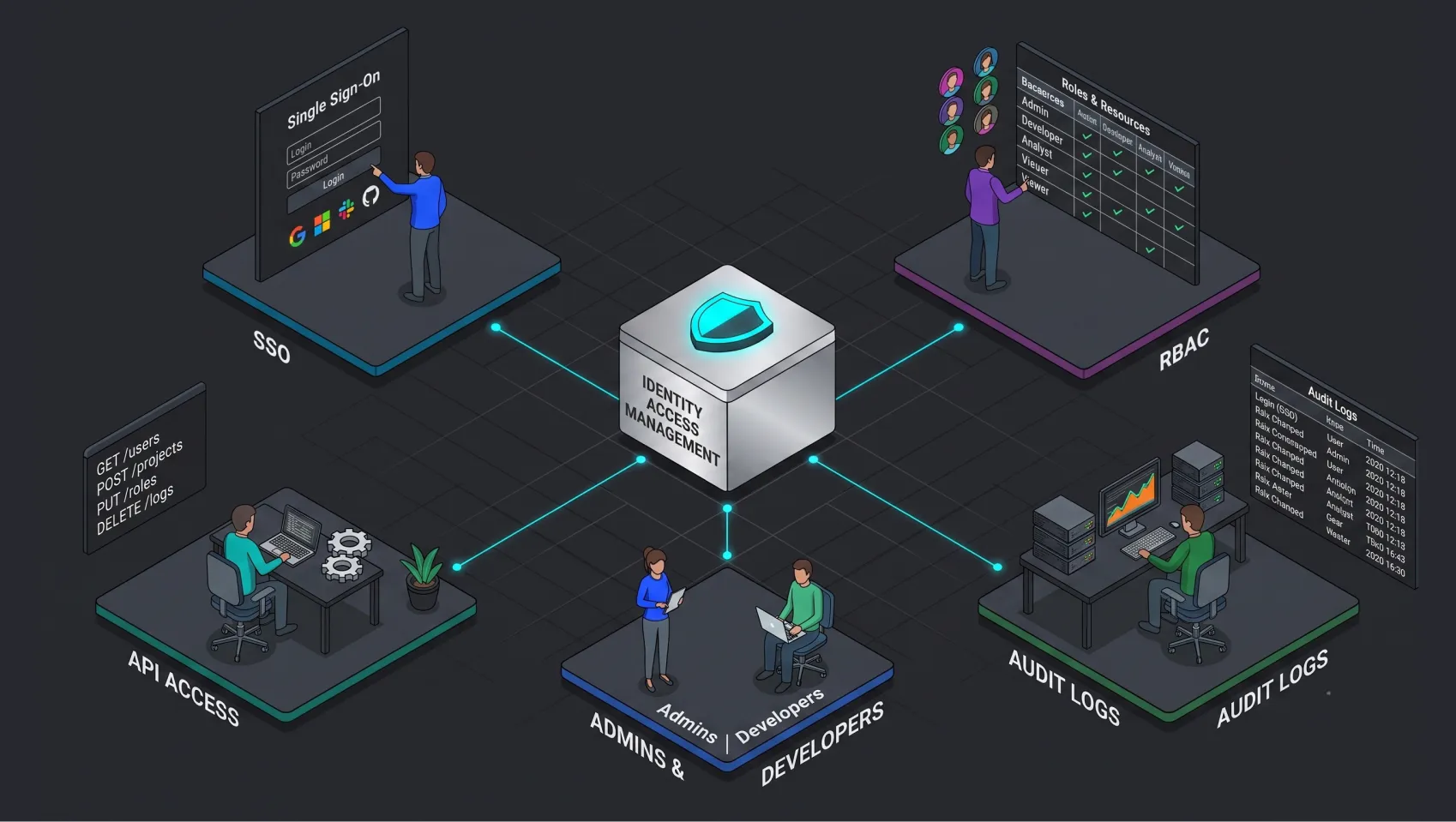
Single sign-on and identity access illustration SSO product preview View product

Business impact

ARR influenced:
8-figure revenue
in security-gated deals
Initial org setup time
-82%
4 weeks to 5 days
Enterprise orgs won:
+9 new deals
Security no longer a blocker

Source: internal pipeline + org settings telemetry.

The 30-second version

Why

  • Enterprise buyers could not pass security review without SSO, IdP-driven access control and short-lived API tokens
  • Deals only moved forward through workarounds

What

  • Self-serve SSO (SAML 2.0 + OIDC) for multi- & single-tenant
  • IdP group mapping driving RBAC
  • OAuth2-compliant tokens for API access, with scopes

Whom

  • Org / IT admins configuring identity
  • Platform engineers calling APIs
  • Security architects signing off
  • Instabase presales & support

How

  • Three connected tracks across releases
  • Design decisions checked against a threat model as well as user flows
  • AI used end-to-end for research synthesis & spec drafting

Project brief

I designed AI Hub’s enterprise security layer. It lets organisations bring their own Identity Provider (IdP), set fine-grained RBAC, issue scoped OAuth tokens, and pass enterprise security reviews. It covers:

SSO: SAML 2.0 + OIDC protocol OAuth 2.0 / JWT RBAC Audit logs Identity providers Okta Microsoft Entra ID PingFederate Auth0 JumpCloud OneLogin AD FS

Problem statement

Enterprise IT admins evaluating AI Hub couldn't pass security reviews. The platform handled sign-in like a consumer product: passwords, manual group assignment, and API tokens with no scope and no expiry.

A first look at the product

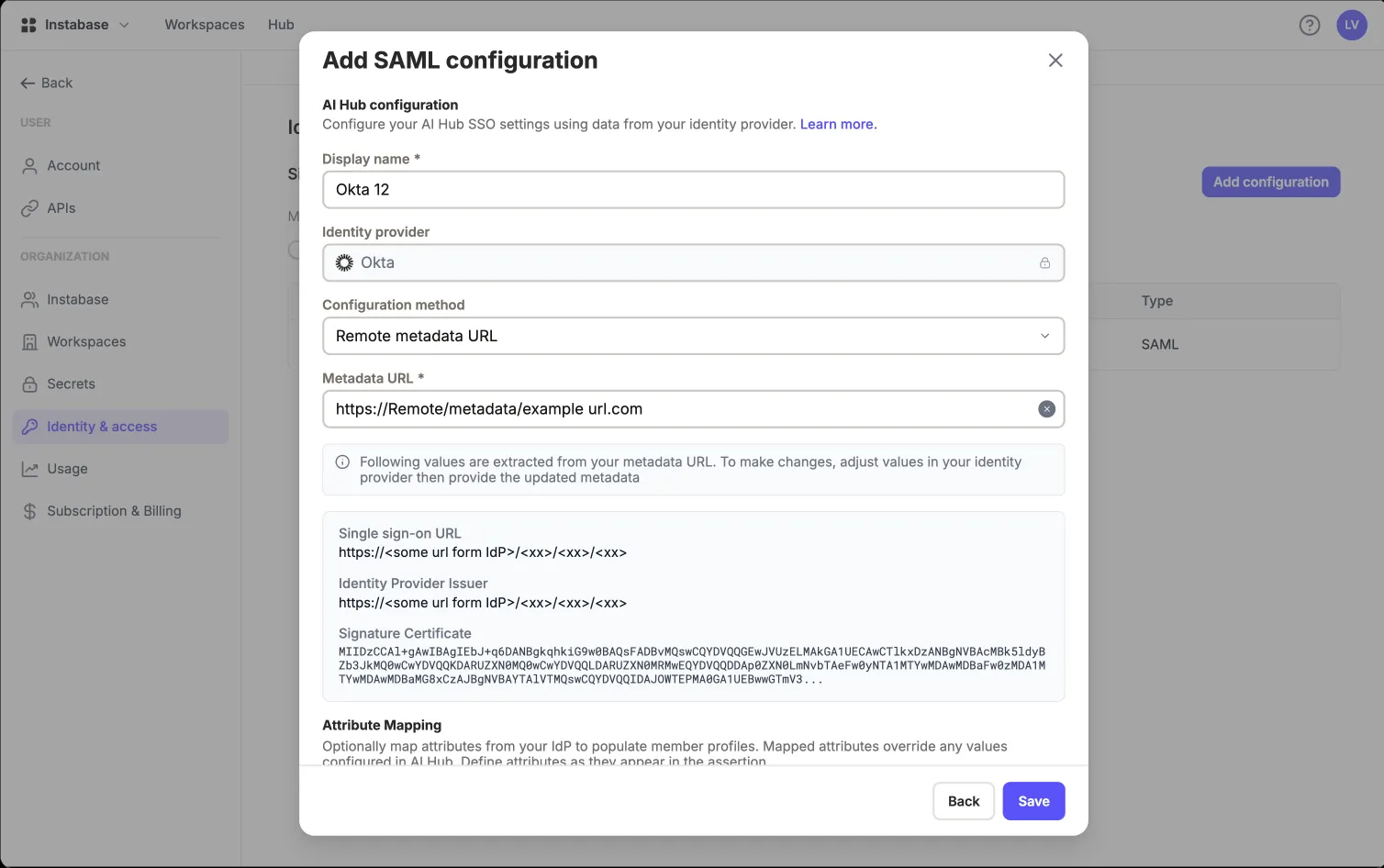
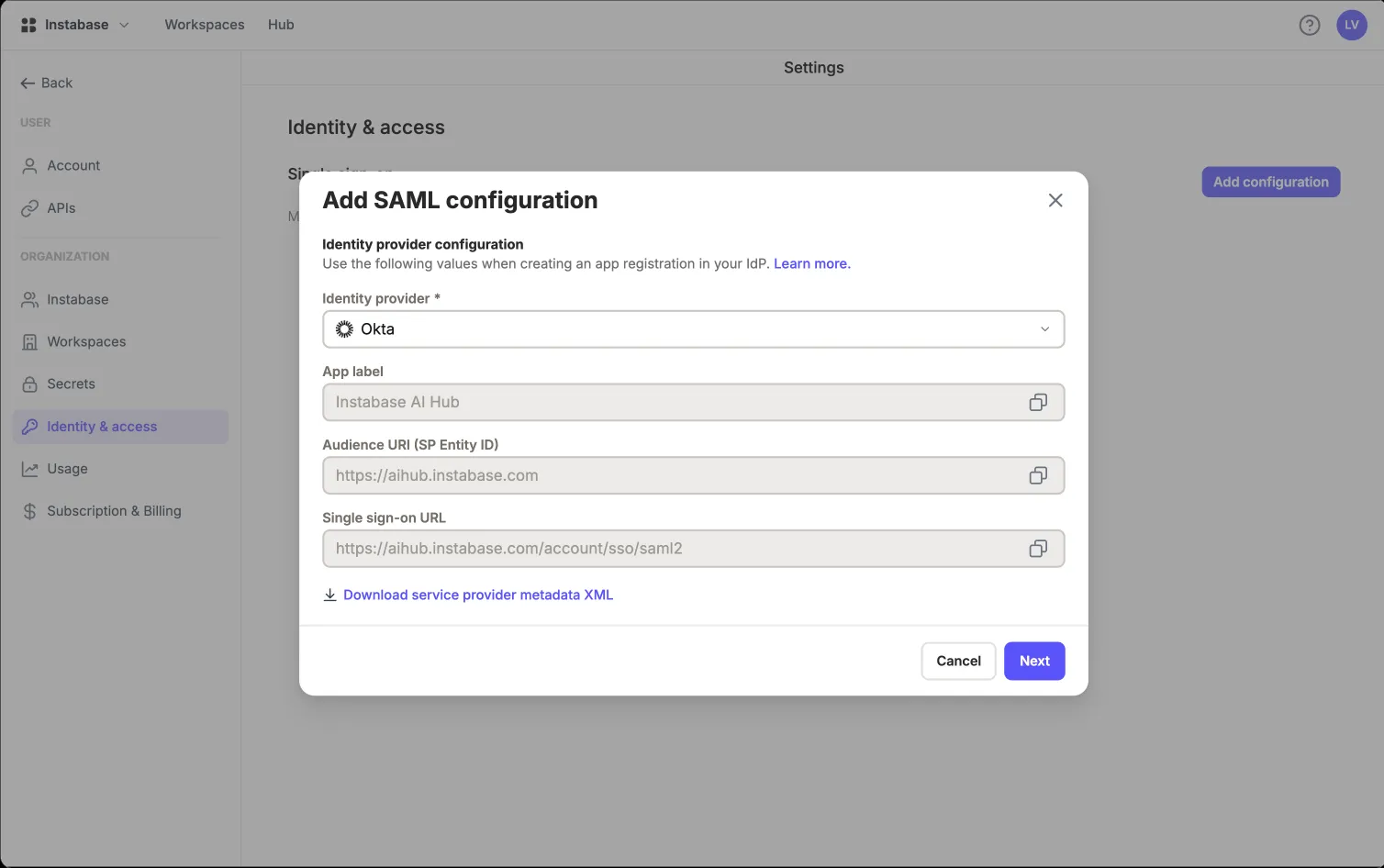
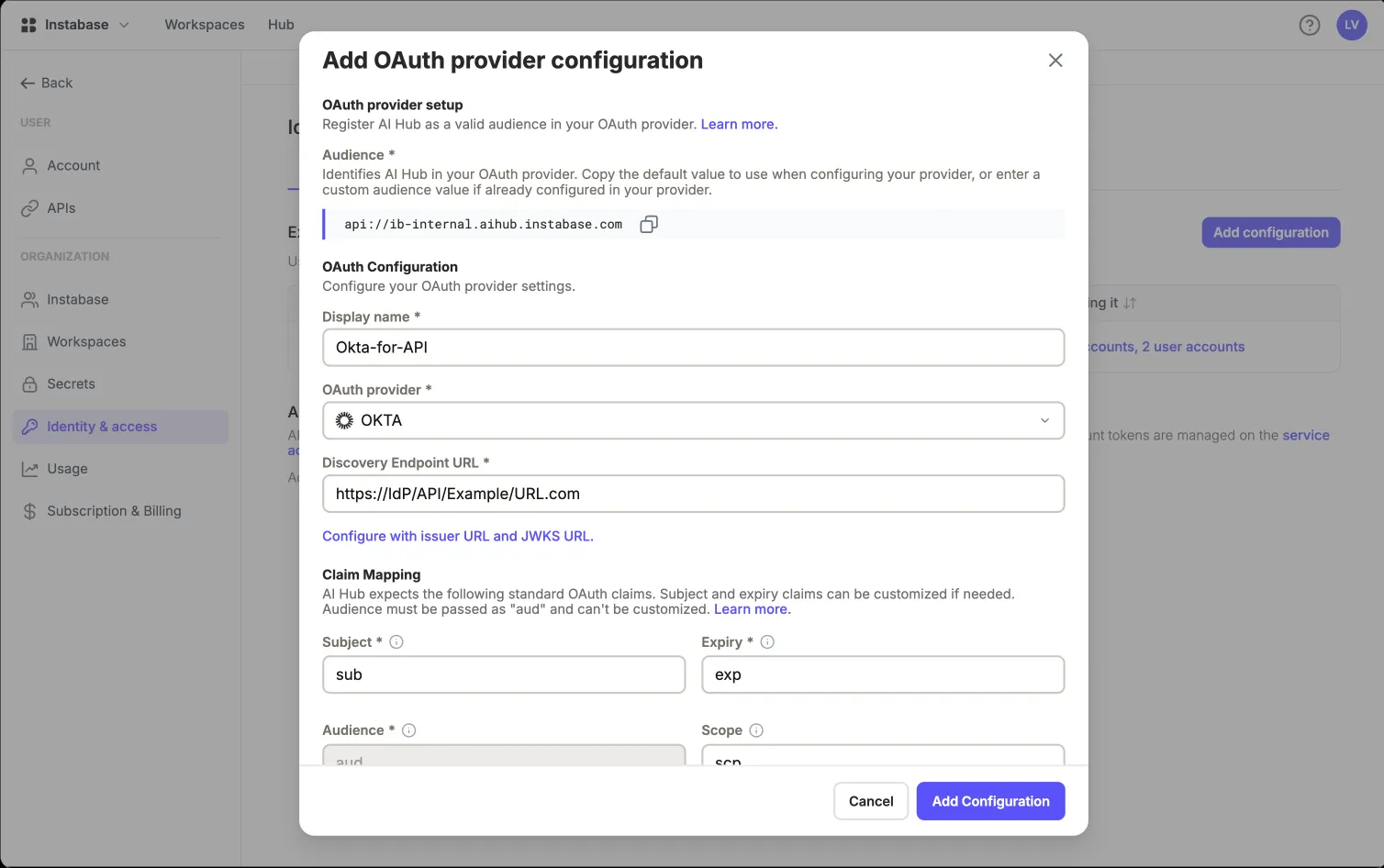
Add SAML configuration dialog in AI Hub, with identity provider set to Okta, a remote metadata URL, and the single sign-on URL, issuer and signing certificate extracted from that metadata
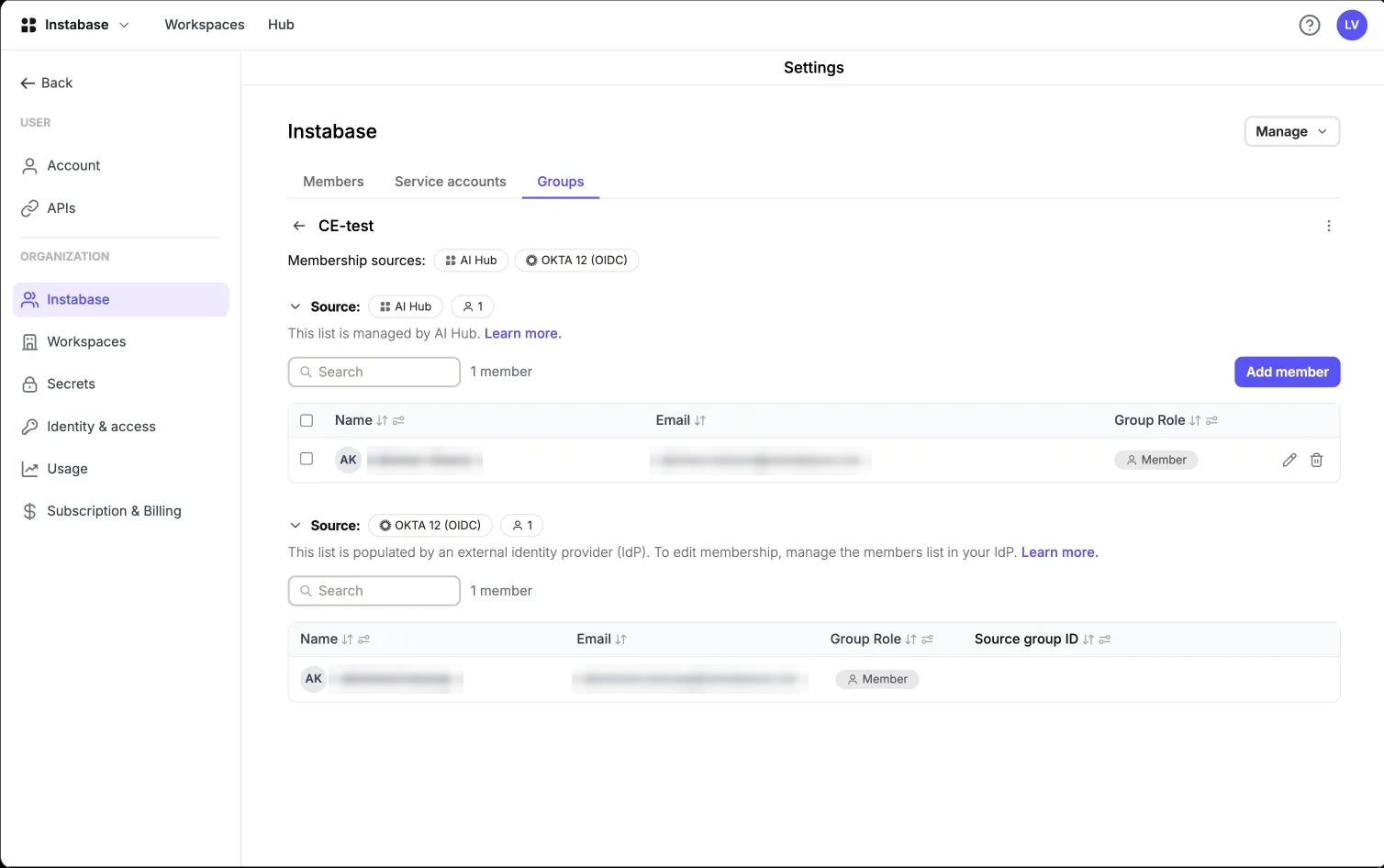
An AI Hub group showing two membership sources, AI Hub and Okta OIDC, each listing its members separately with the source group ID
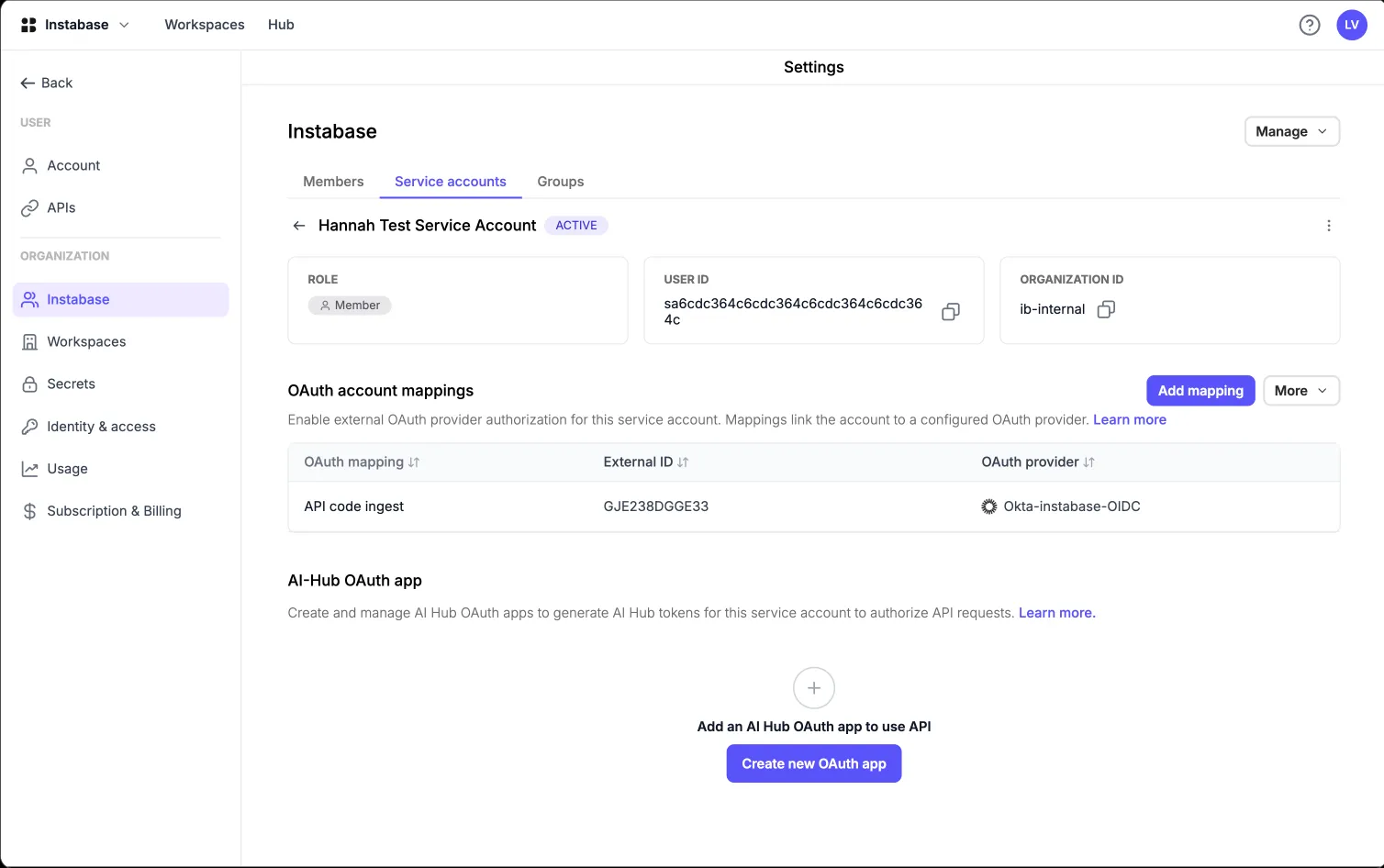
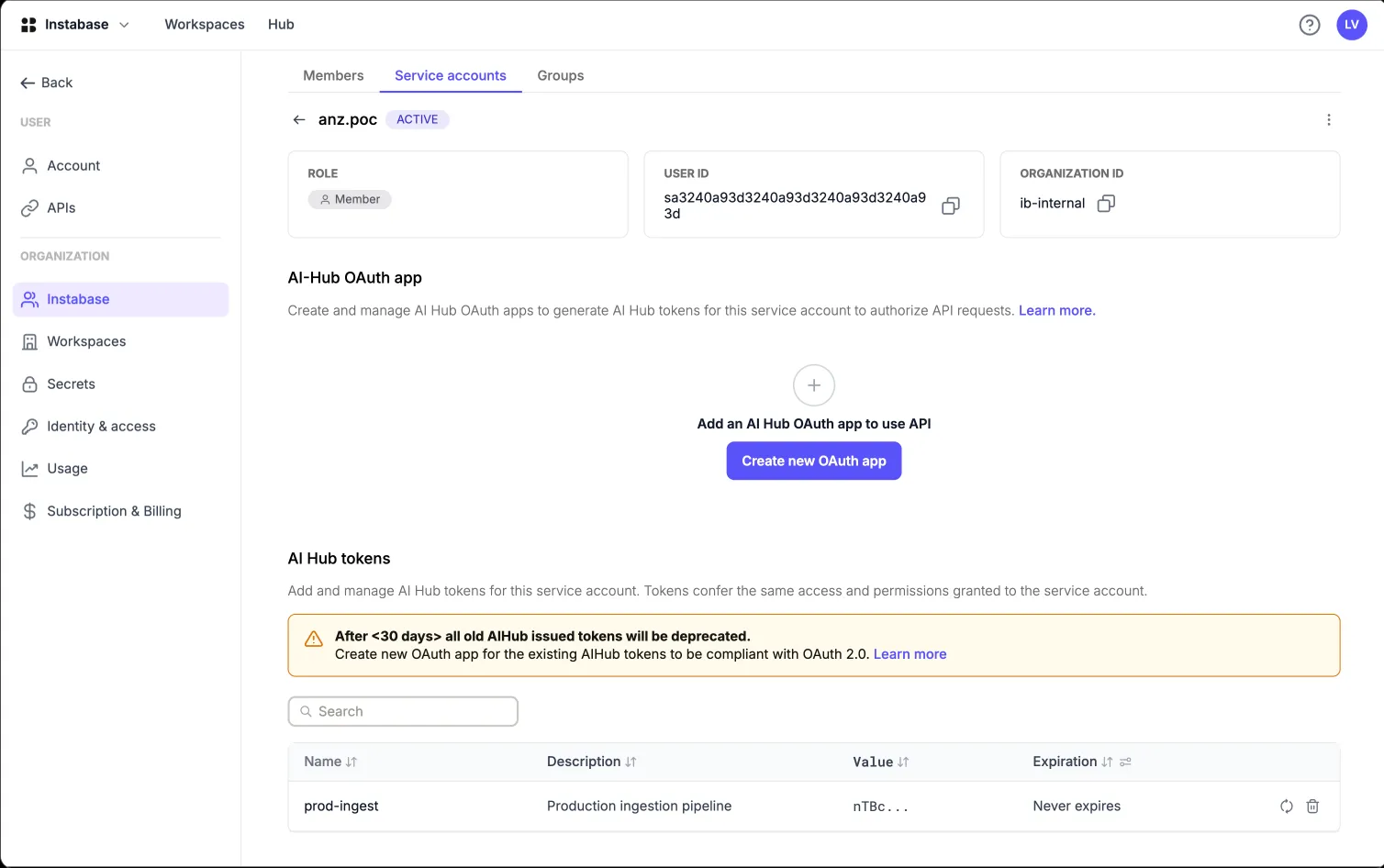
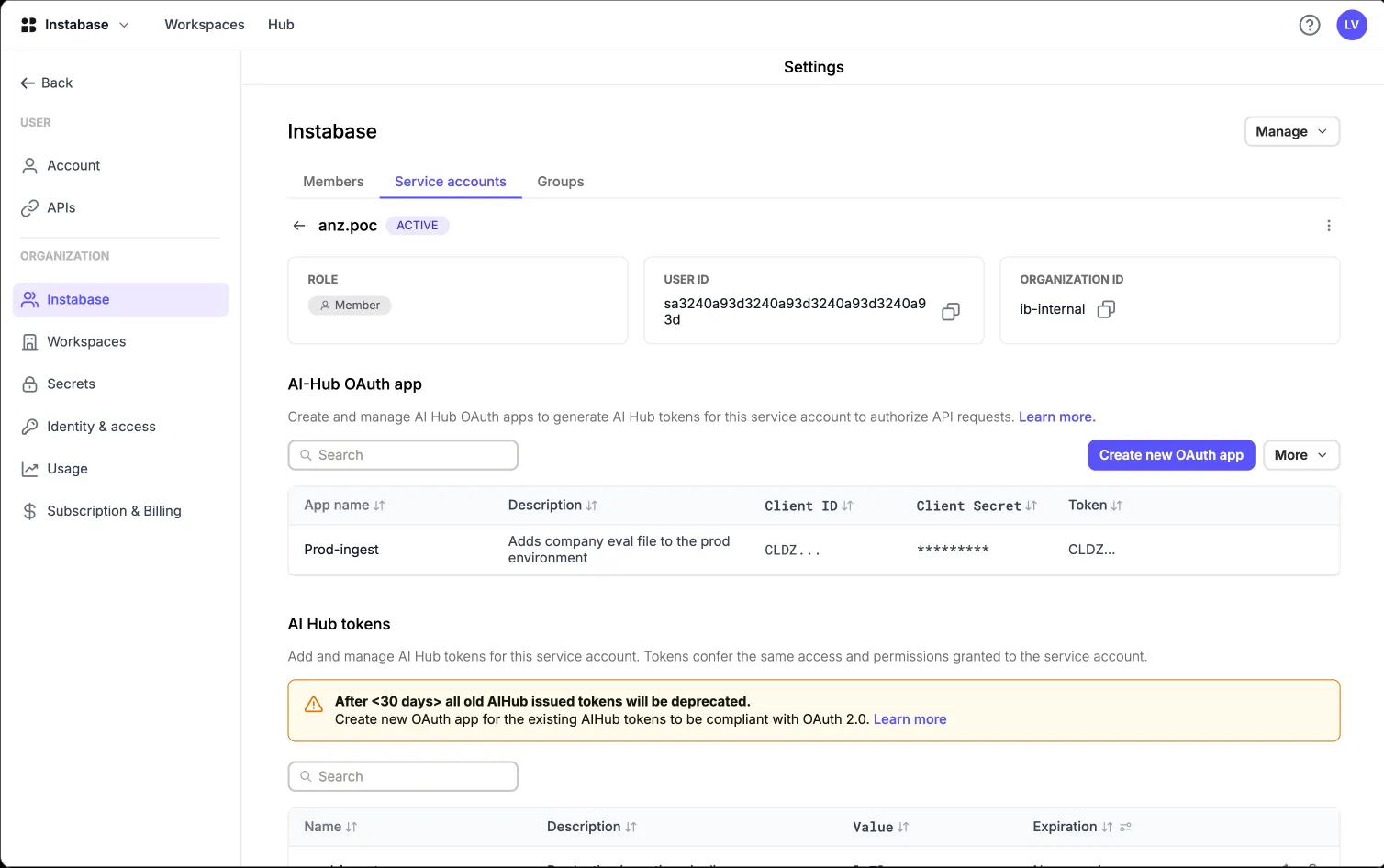
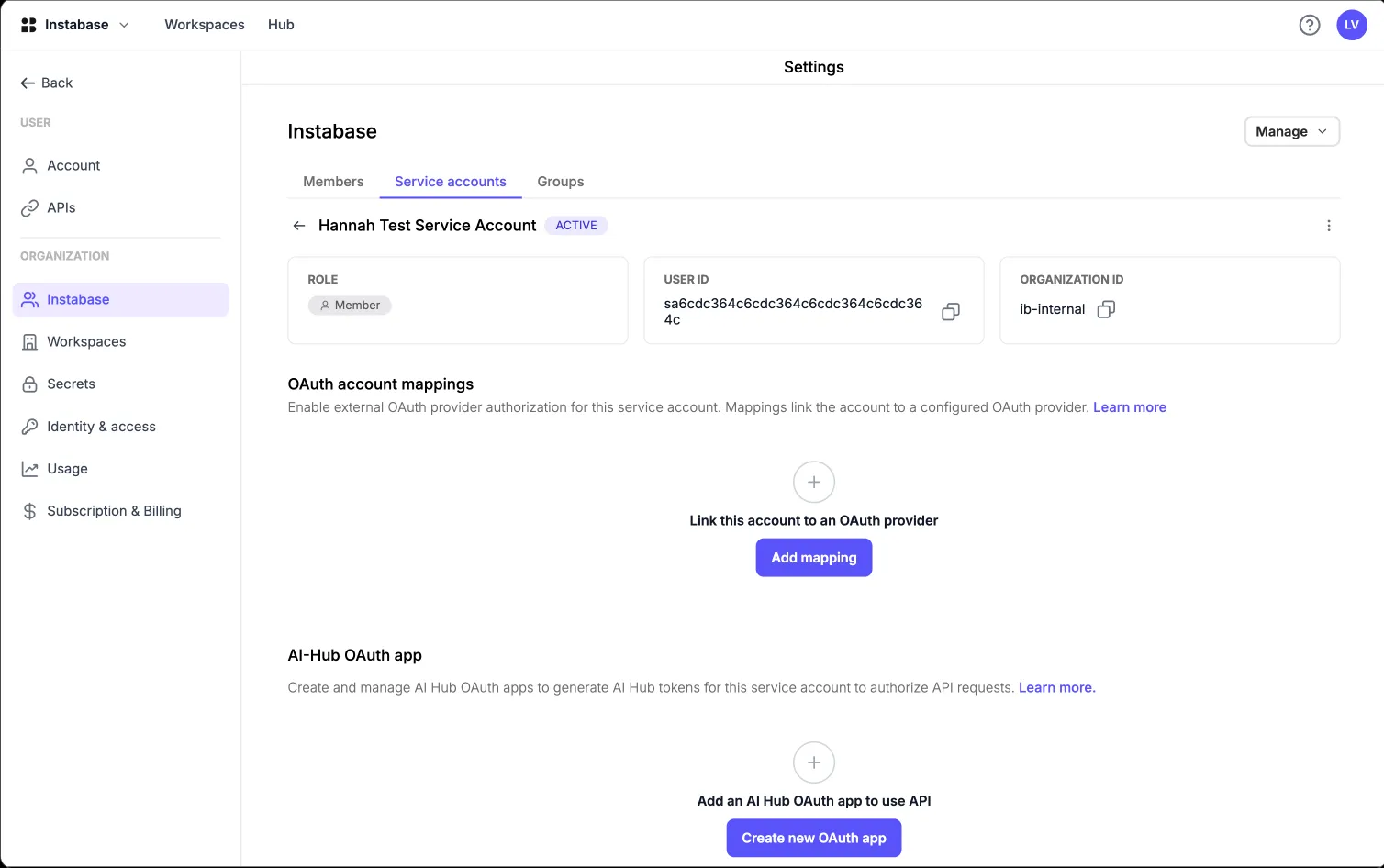
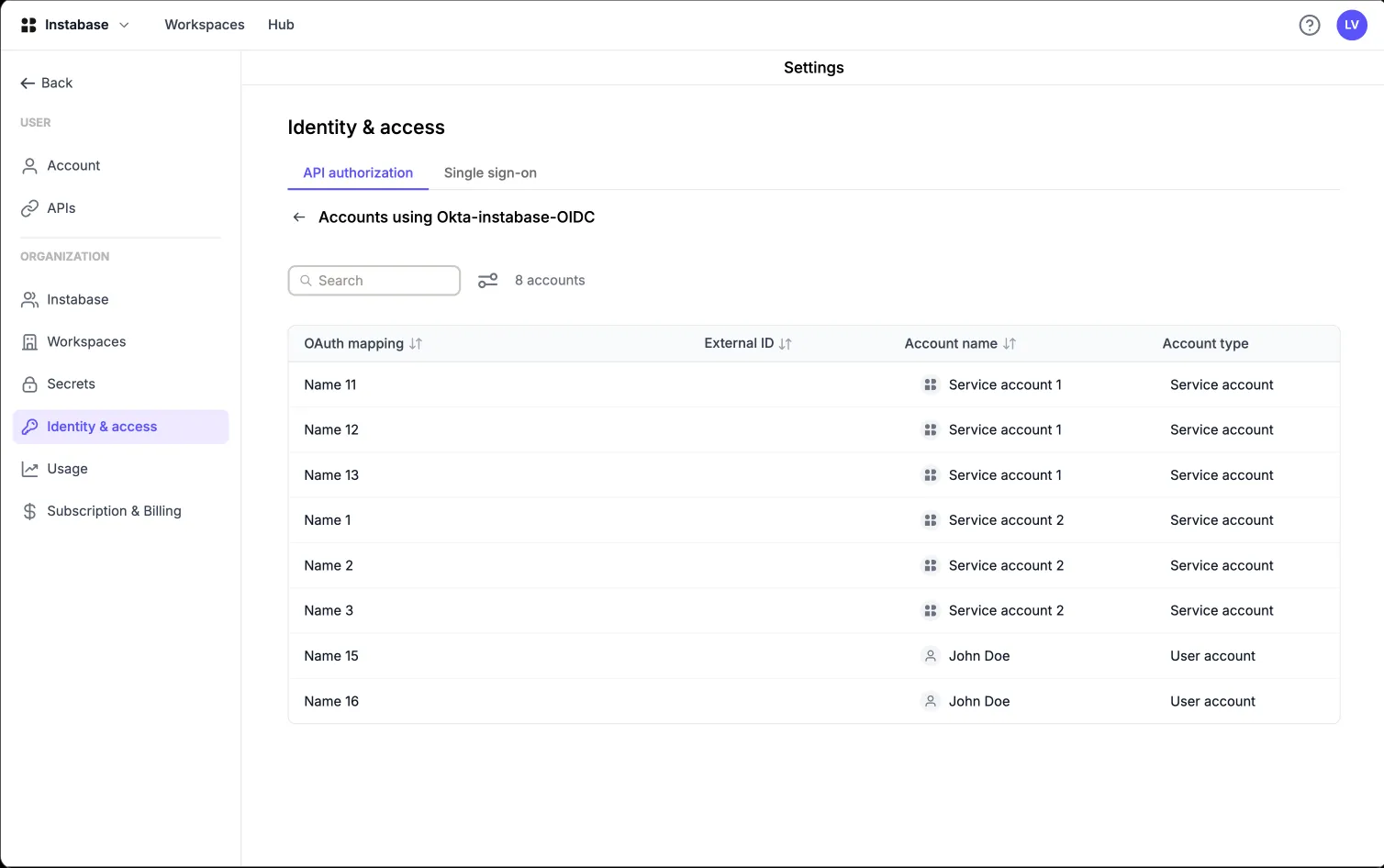
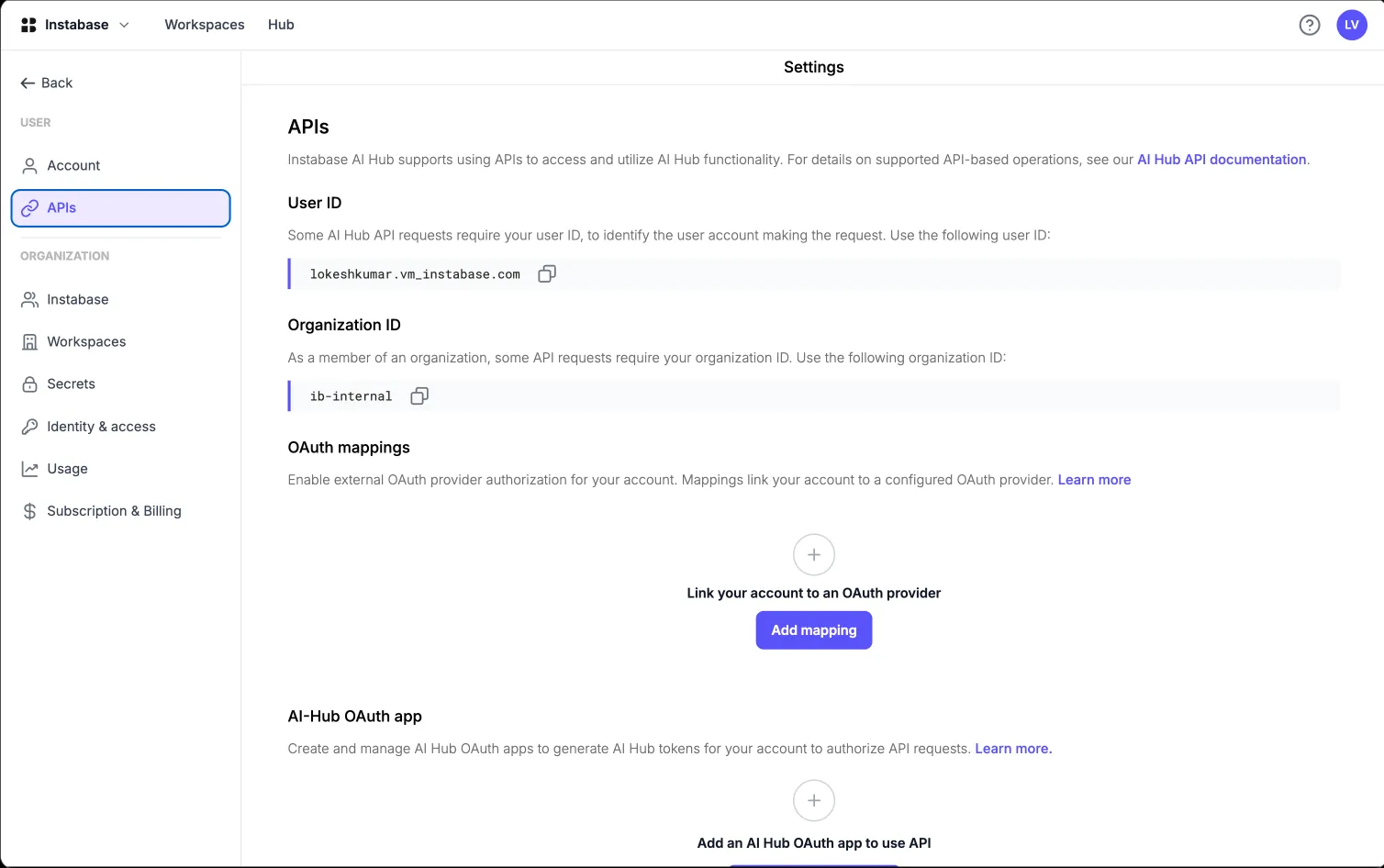
A service account page in AI Hub showing its role, user ID and organisation ID, with an OAuth account mapping linking an external ID to the configured Okta OIDC provider

Why we're building this

It started as a pattern in the support and presales channels: the same five objections, from the largest accounts in the pipeline, over and over.

SSO was a tenancy accident

SSO existed only for single-tenant customers. Multi-tenant enterprise customers had no way to connect their IdP, so commercial MT customers were being provisioned an entire single-tenant environment just to get SSO.

"A European luxury retail group was given a single-tenant instance as a temporary workaround while waiting for multi-tenant SSO."

The docs promised what we didn't have

Documentation claimed OIDC group mapping was supported. It wasn't. A top-tier enterprise customer found the gap themselves and raised it repeatedly.

"A large financial institution called out the inaccuracy directly."

Long-lived opaque tokens

API access relied on raw, long-lived internal tokens. Banks' security policies simply forbid them. They need short-lived JWTs issued and revoked by their own IdP.

"A global investment bank could not use our tokens at all under internal policy."

No identity for machines

In an SSO-only org, automation had nowhere to live: no service-account primitive, and a shared "faceless" account cannot complete an SSO login.

"A global security vendor named this a go-live blocker."

Everything needed a human

Even after release, SSO required an internal engineer to flip a per-org feature flag. Customers who followed the public docs hit an error and filed a ticket.

"A global insurer and a European media group both landed in support for exactly this."

22
distinct enterprise-reported problems catalogued across 4 Slack channels
9
named enterprise accounts blocked or worked around

Who I designed for

Identity features have an unusual audience: the person who configures it is rarely the person who uses the product, and the person who approves it never logs in at all.

Primary focus
Org / IT admin

Sets identity up, and can break it for everyone.

  • Configures SSO inside AI Hub
  • Mirrors the same config in Okta / Entra / Ping
  • Owns group → role mapping
  • Decides when to enforce SSO org-wide
  • Tracks all audit logs
Primary focus
Platform engineer

Runs everything that talks to AI Hub without a human.

  • Automates AI Hub through the API
  • Needs a non-human identity to act as
  • Lives inside token expiry and scope rules
  • Judges us on the first successful API call
Influences
Security architect

Approves the purchase. Never opens the product.

  • Runs the vendor security review
  • Sets the policy the admin must meet
  • Can veto the whole deal
Affected
End member

Feels every configuration mistake, fixes none of them.

  • Just wants "Continue with SSO" to work
  • Should never see a SAML error string
  • Needs the right group access
Internal
Instabase support

Absorbs every gap the product leaves open.

  • Debugs failed logins with little visibility
  • Enables per-org feature flags by hand
  • Owns the escalation the customer never wanted
Internal
Presales & Docs

Has to state our security posture, live, on a call.

  • Answers "do you support X?" in real time
  • Needs a defensible security story
  • Pays for every capability we overstate

Where I focused: the two highlighted roles, who operate the system. The others shaped the design as constraints.

The ecosystem: how these six are connected

No single person owns identity. One person approves it, an admin configures it in two places, and members live with the result. Mapping that chain showed me which problems were design problems.

CUSTOMER ORGANISATION INSTABASE Security architect Approves. Never logs in. Org / IT admin Configures both sides. Platform engineer Automates via the API. End member Just wants to sign in. Customer IdP Okta · Entra · Ping User directory Groups MFA policy Token issuance the system we do not control AI Hub what I designed SSO configurations Group mappings → RBAC OAuth providers Account mappings Token validation Audit logs Entitlement gate: Enterprise tier + per-org flag + org-admin role Presales / SE Answers "do you support X?" Instabase support Only one who can see truth. 1 2 3 4 5 6 7 8 9 10 11
The security review gates the dealNever opens AI Hub, but their review decides whether presales can close.
Policy flows down to the adminWhatever the architect mandates, the admin has to configure.
Admin registers AI Hub inside the IdPHalf of "setting up SSO" happens in a product we don't own.
Admin configures the AI Hub sideSame values, different vocabulary. Most setup failures come from that mismatch.
The trust handoffIdP signs, AI Hub validates. The whole project is built around this exchange.
Machines get credentials from the same IdPShort-lived JWTs, issued to a machine with no password or login.
Automation calls the APIBearer token, scoped by role UUIDs, mapped to a service account.
The member just signs inThey click "Continue with SSO" and are the first to hit any error underneath.
Support flips the flagUntil an engineer enables the per-org flag by hand, the customer sees an empty screen.
Every failure escalates back to usAdmins and members both land here. These escalations became the 22-issue research log.
Presales hands the promise to supportWhatever was claimed becomes support's problem if the product can't back it.

Hover (or tab to) the numbered markers above for the story behind each connection.

Setup is split across two products

③ and ④ are the same configuration in two vocabularies. Neither side can validate the other. That gap is why field labels now carry each IdP's own naming.

The approver never logs in

① is a design surface with no interface. The capability matrix, the validation flow diagram and the honest gap list were built for someone evaluating risk, not operating a UI.

Every gap ends at support

⑨, ⑩ and ⑪ form the friction loop this project attacked: invisible entitlement, silent errors, and no self-serve activation.

Three pillars, one identity story

Pillar 1 — SSO
  • SAML 2.0 + OIDC for multi-tenant
  • Self-serve configuration UI
  • Test before you enforce
  • Threat-modelled domain handling
Pillar 2 — Group mapping
  • IdP groups → AI Hub groups
  • OIDC parity with SAML
  • Many-to-one mapping
  • Showing when sync happens
Pillar 3 — OAuth tokens
  • Customer-IdP-issued tokens
  • Account mappings per identity
  • Scopes that only downscope
  • Deprecating raw internal tokens

Keep scrolling for the solution. My process is further down, under "How I got there".

How it worked before

Three broken paths

I mapped the three journeys the enterprise identity story runs through today (logging in, getting access, and calling the API) and marked every point where a customer had actually reported failure.

Path A — a user signs in

User enters email + password created inside AI Hub

Enterprise IdP, MFA policy and offboarding rules are bypassed entirely

Admin manually invites and removes every member

Leaver keeps a working password until someone remembers to delete them

Path B — a user gets the right access

Admin creates AI Hub groups by hand

Adds each member to each group, manually

Repeats forever as people join, move teams and leave

Access drifts out of sync with the org chart, which is an audit finding waiting to happen

Path C — a system calls the API

Engineer generates a long-lived opaque token in the UI

Pastes it into a pipeline, a notebook, a shared vault

Token carries the full permissions of its human owner, forever

No expiry, no rotation, no revocation from the IdP, no scope

No audit logs

Accessing audit logs required an internal engineer's help

SOC 2 security blockers

Pillar 1 — Self-serve single sign-on for every tenant

Priya, IT Admin

The org / IT admin

Age: 38 · IT Admin at a 400-person mid-market SaaS org · City: Bengaluru · Configures SSO for the org a few times a year, not daily

Pain points

  • Configures SSO maybe twice in a career, so no muscle memory for SAML
  • Field names in AI Hub don't match field names in their IdP
  • Errors appear at login time, not at configuration time
  • Terrified of locking their whole organisation out

Needs

  • Setup in the language of Okta / Entra, not the language of SAML
  • A safe way to test before enforcing
  • Clear required vs optional attributes
  • Group membership that follows the IdP automatically

Qualities

  • Precise, cautious, audit-minded
  • Will read documentation, and will hold us to it
  • Escalates fast when blocked; measures us on time-to-resolve

Target flow

Open Settings → Security
→
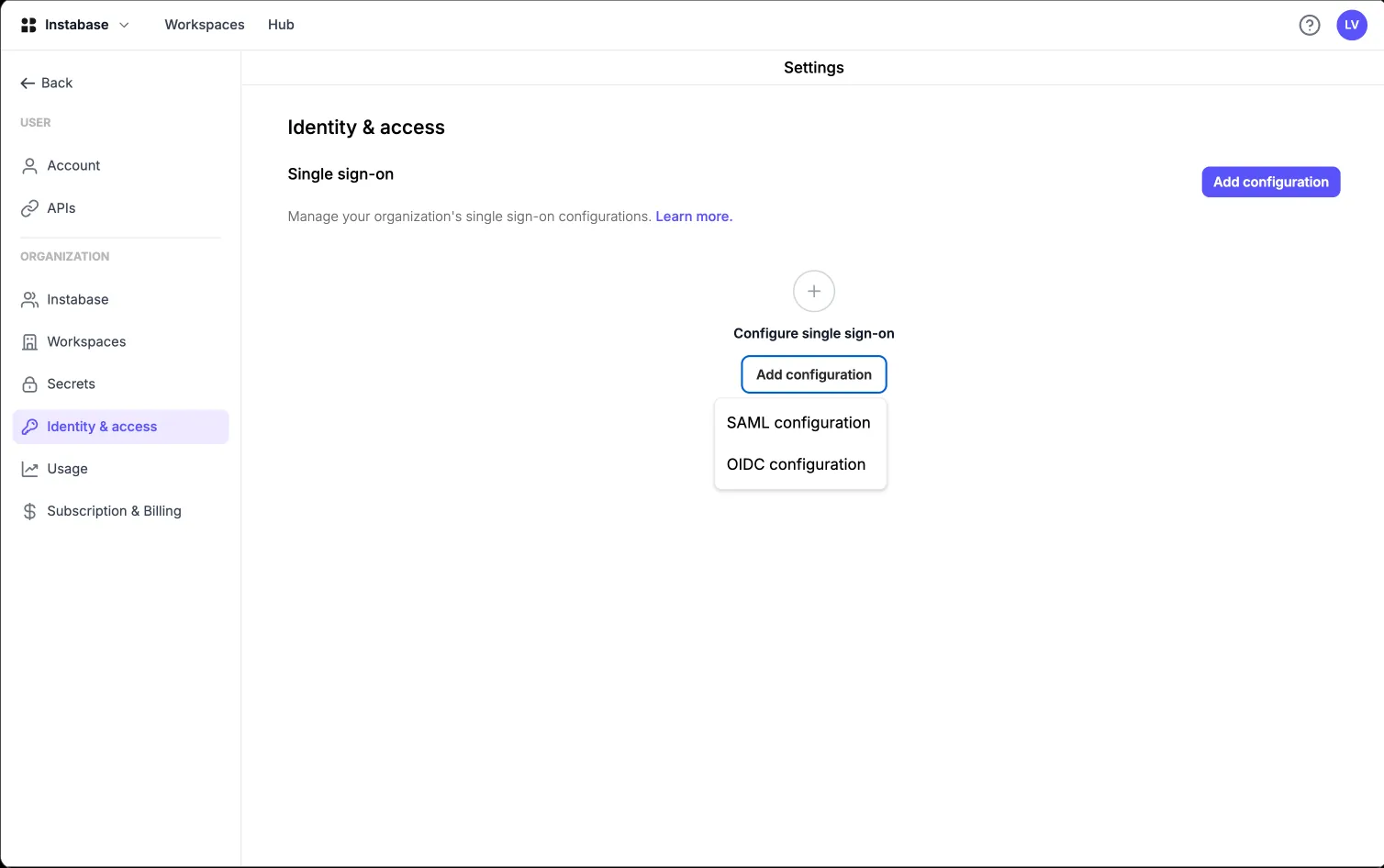
Add configuration (SAML or OIDC)
→
Paste IdP metadata / discovery URL
→
Map attributes
→
Test sign-in
→
Enforce SSO org-wide

Bringing SSO to multi-tenant AI Hub

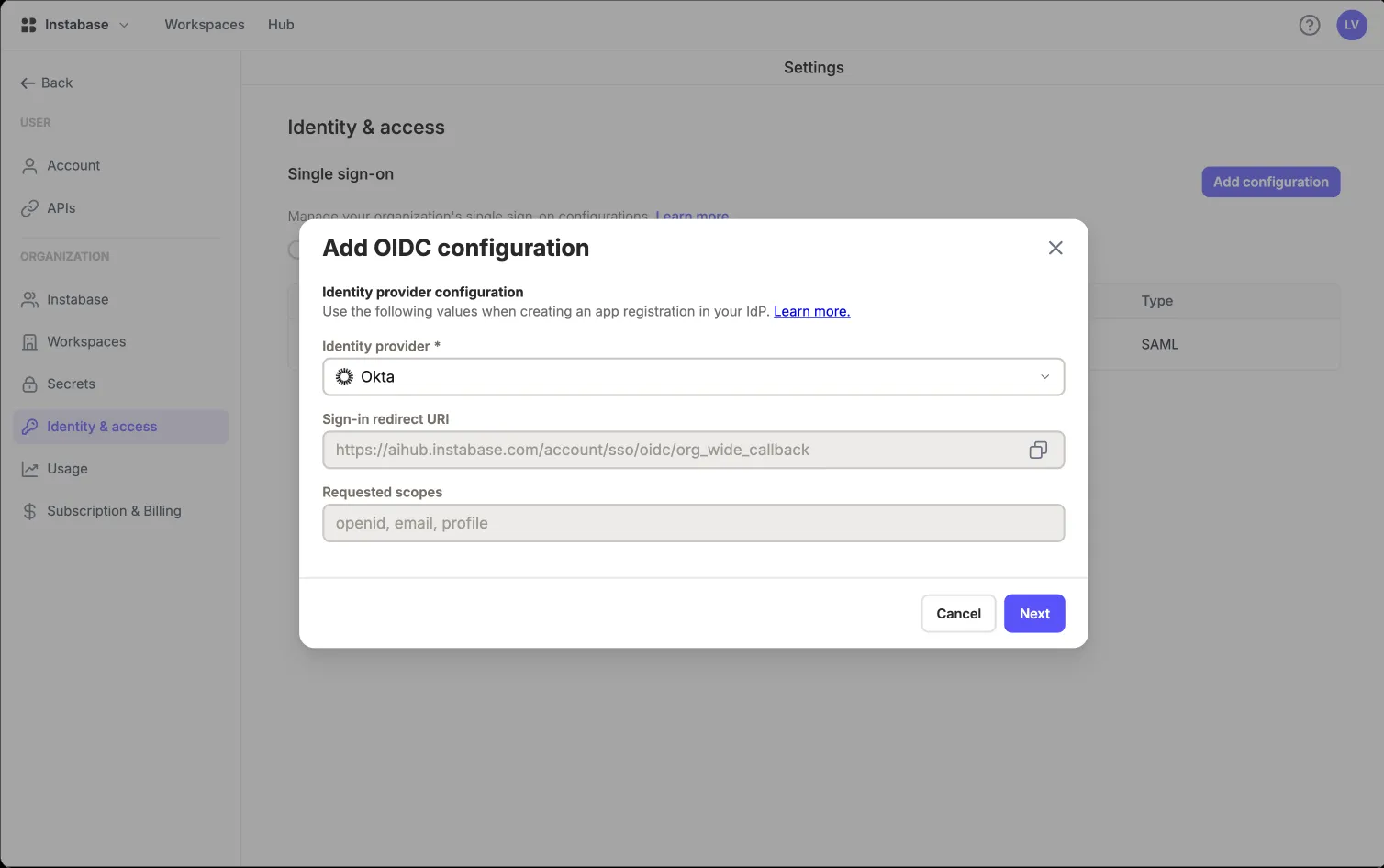
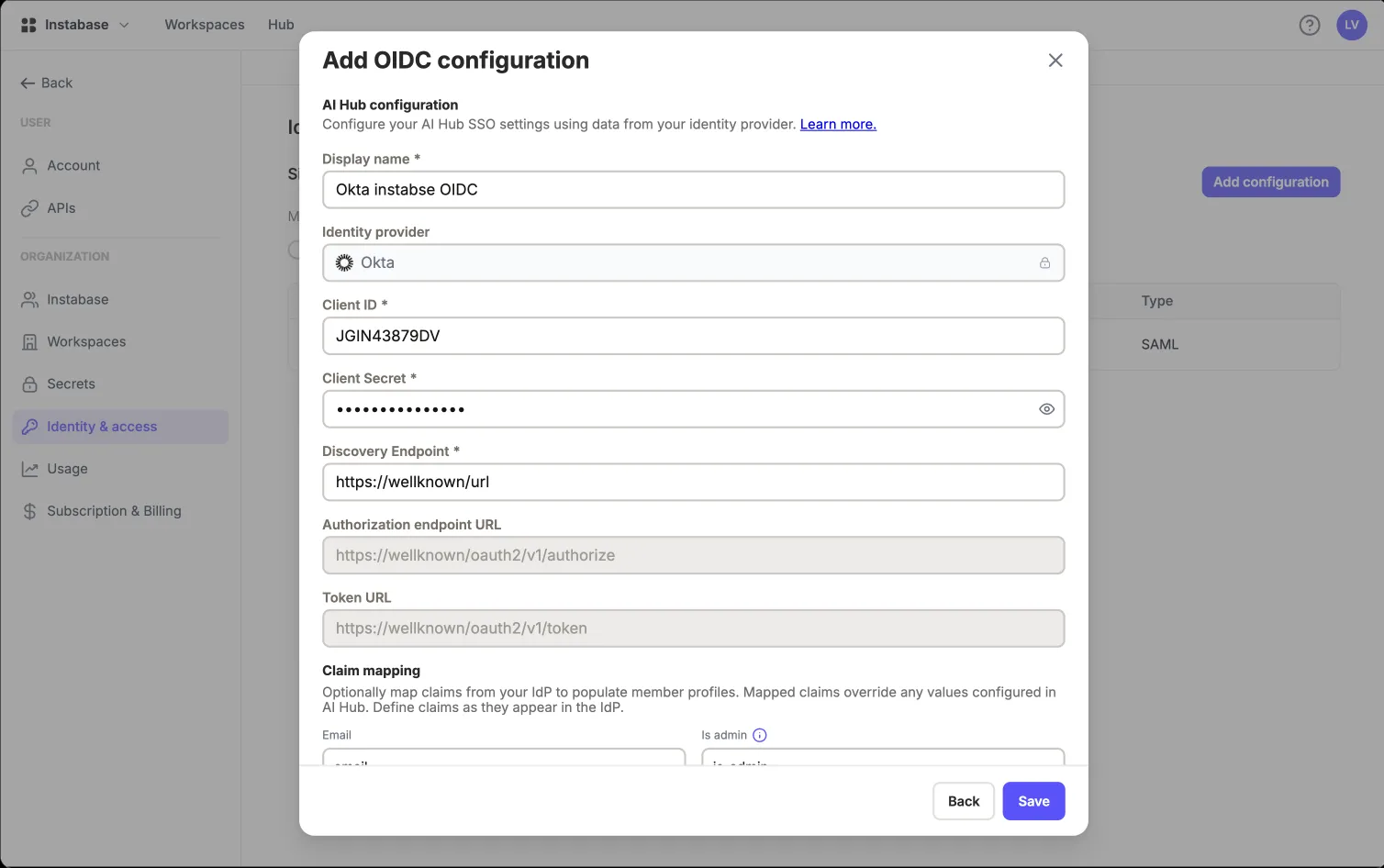
Shipped in Release 1. Enterprise-tier organisations can now configure SAML 2.0 and/or OIDC single sign-on themselves, from Settings → Security. Each org can have multiple configurations, mixing protocols.

Before

  • SSO was only available to single-tenant customers, and Instabase engineers configured it through environment variables. Multi-tenant customers who asked were given a whole single-tenant environment as a workaround.

Solution

  • Self-serve SAML + OIDC config for MT org admins
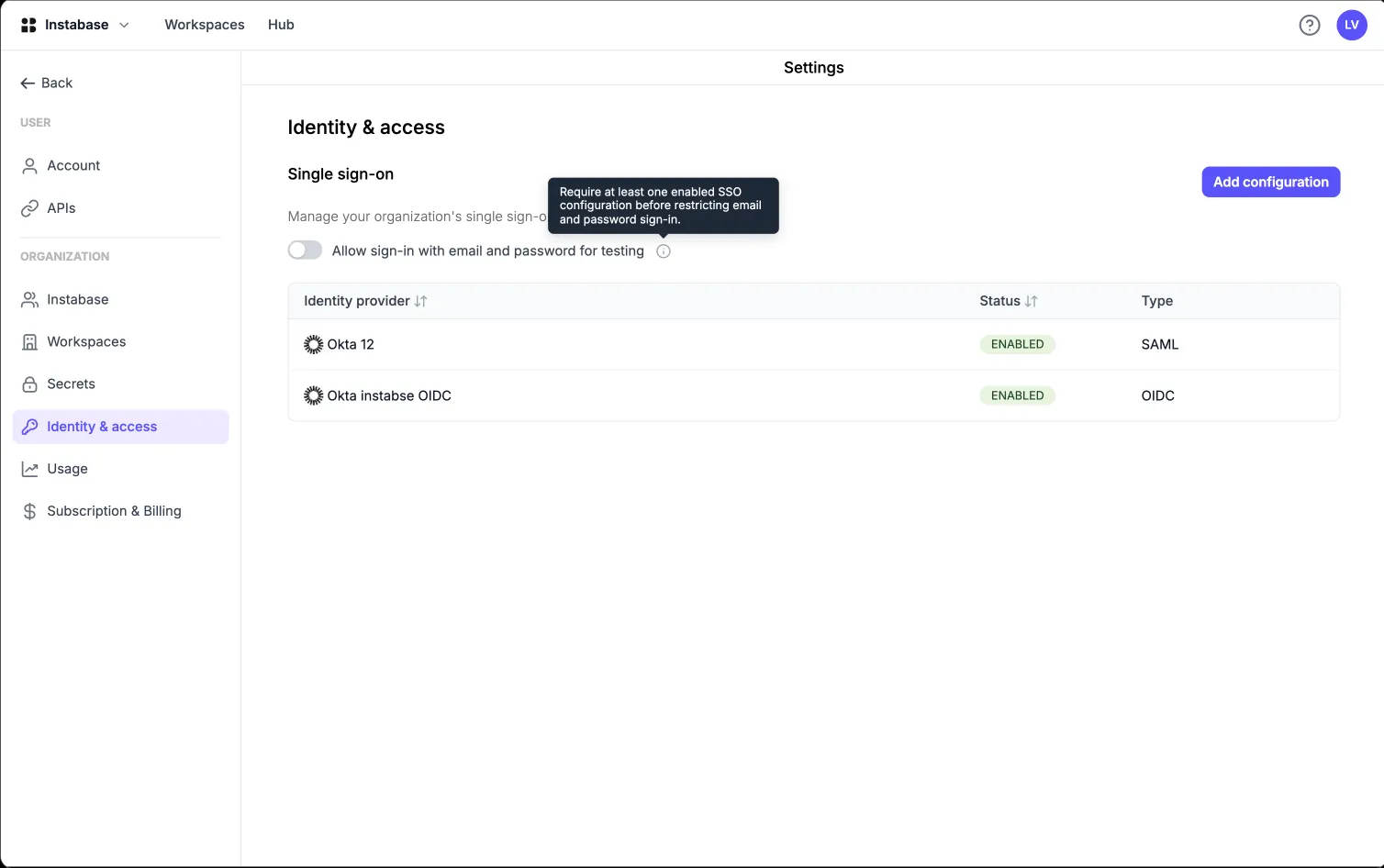
  • Multiple configurations per organisation, protocols mixed
  • Guided setup that mirrors the admin's own IdP vocabulary
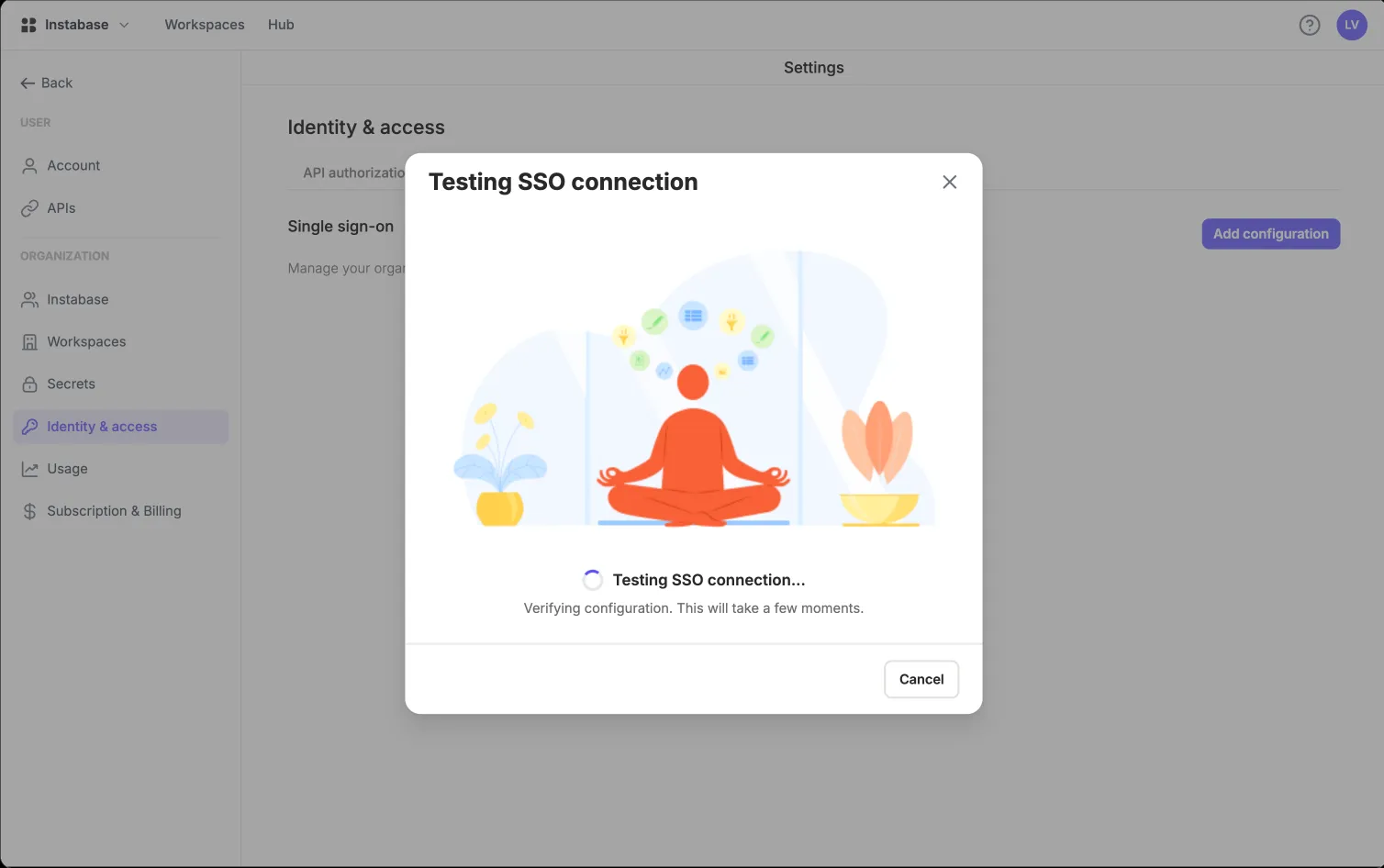
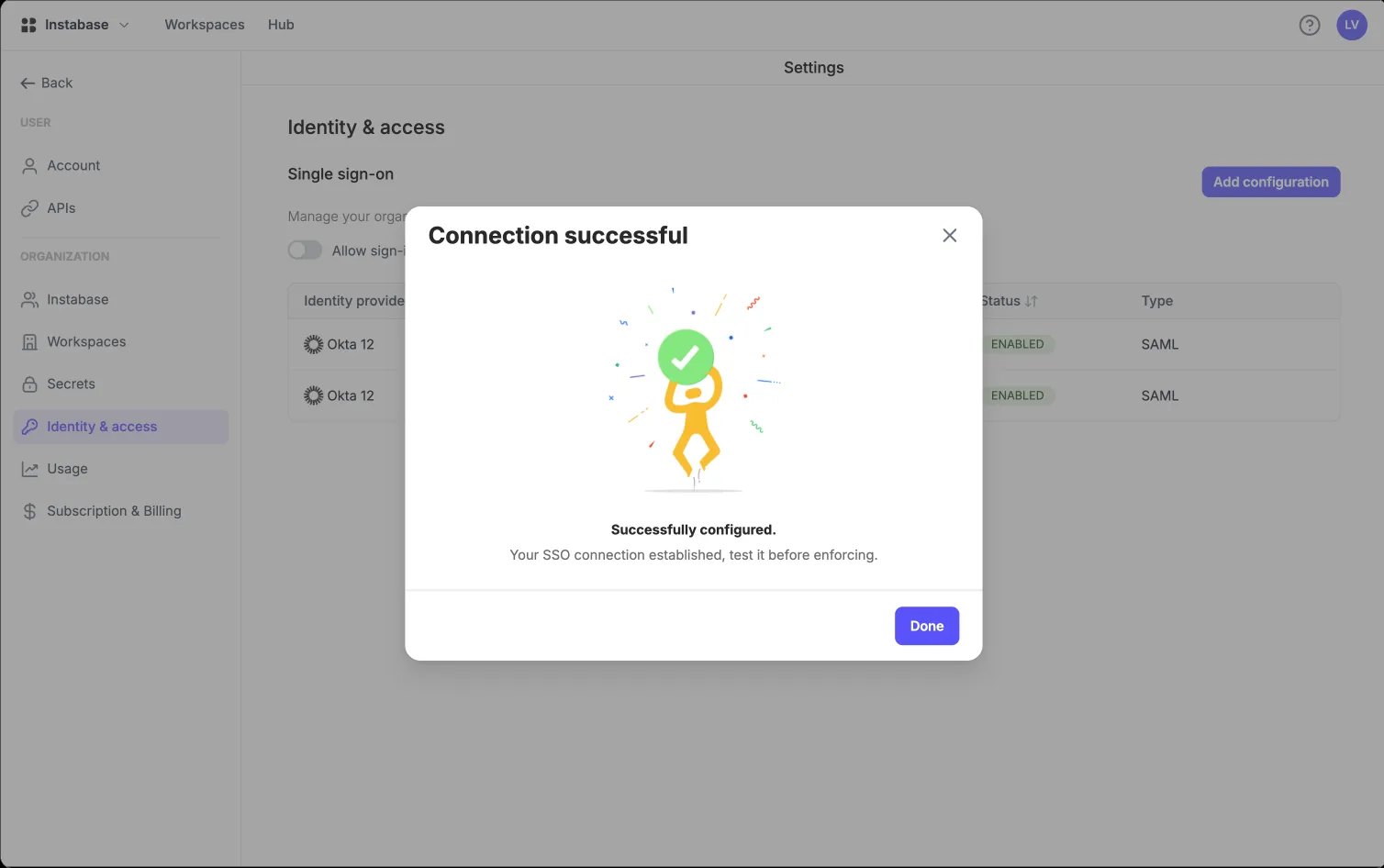
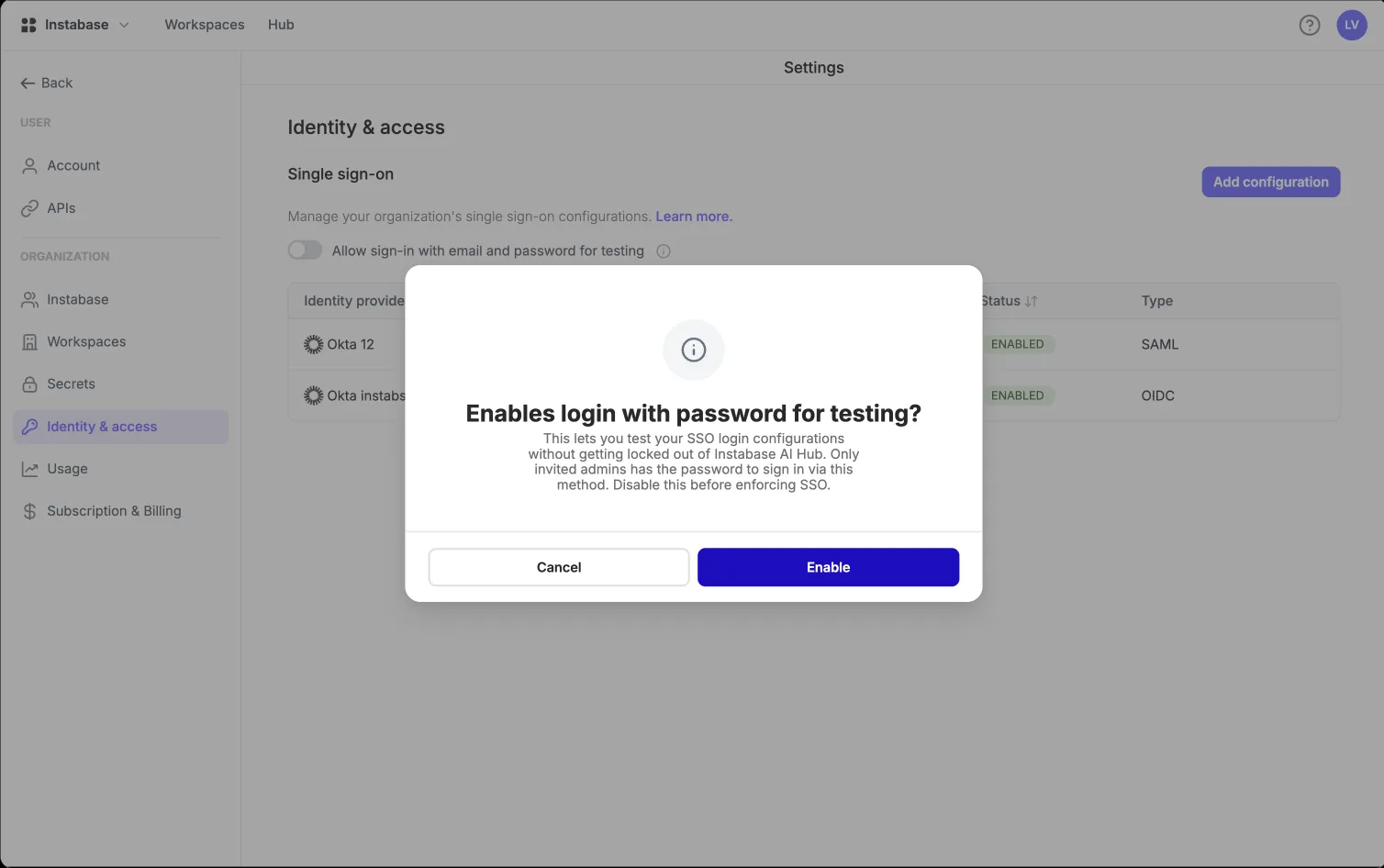
  • Test sign-in first; enforce SSO only once it works

Prototype coded from scratch with dummy values ·

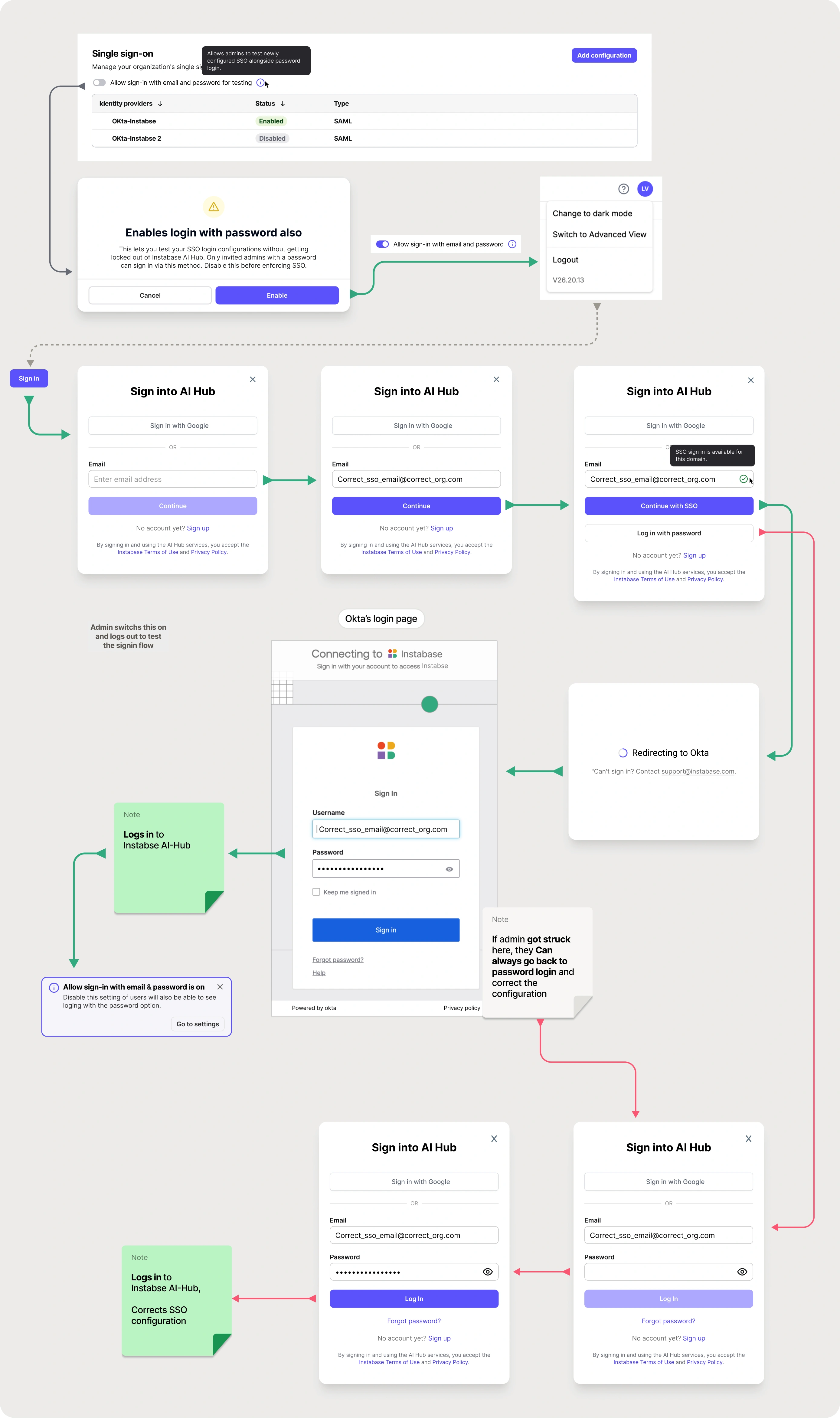
Testing configuration

Flow with test option enabled: Admin has a secure way to correct config again without getting locked out.

Flow with test option enabled: Admin has a secure way to correct config again

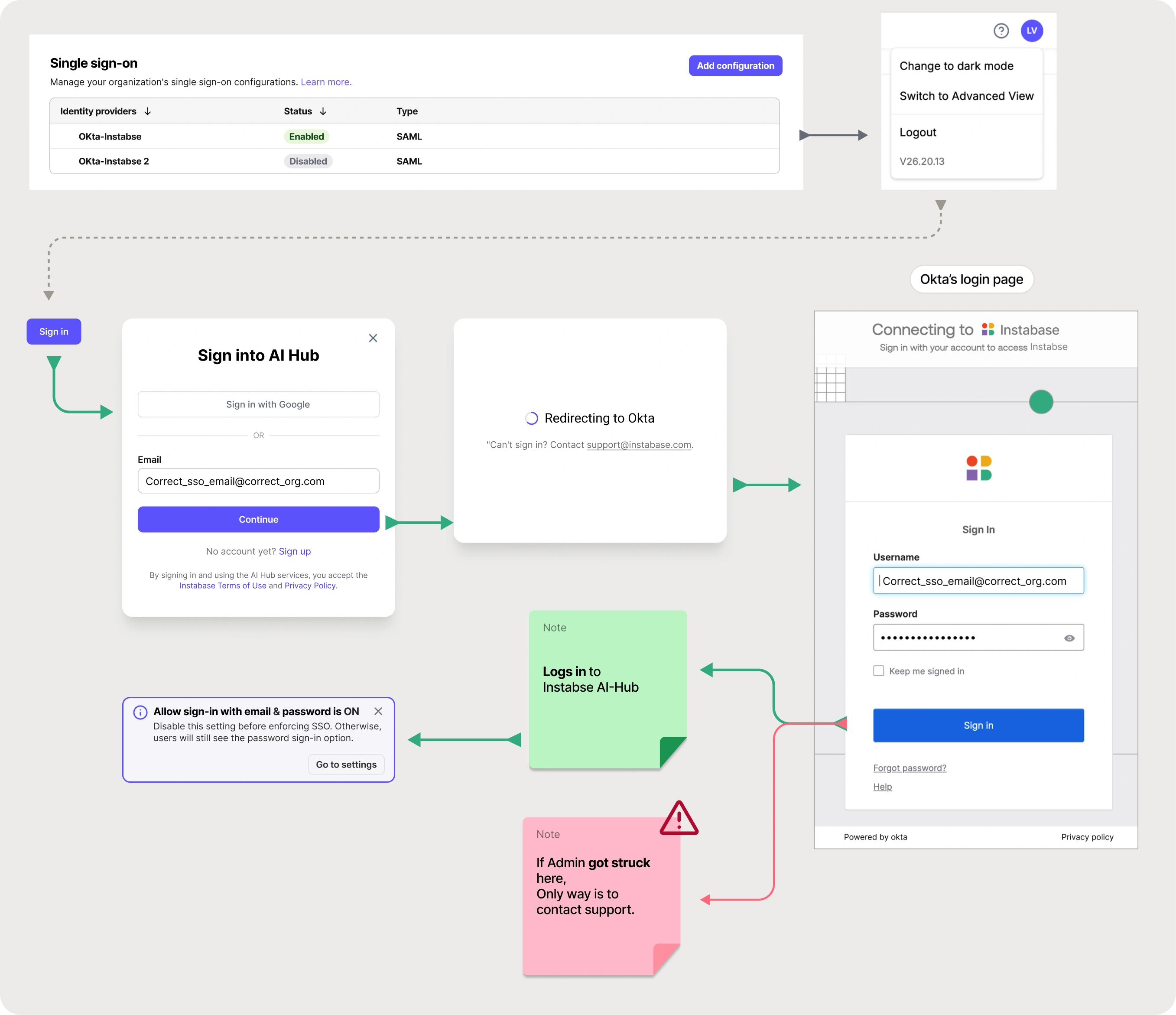
Flow without the test option: the user gets locked out if the config is wrong.

Flow without test option: user gets locked out in wrong config

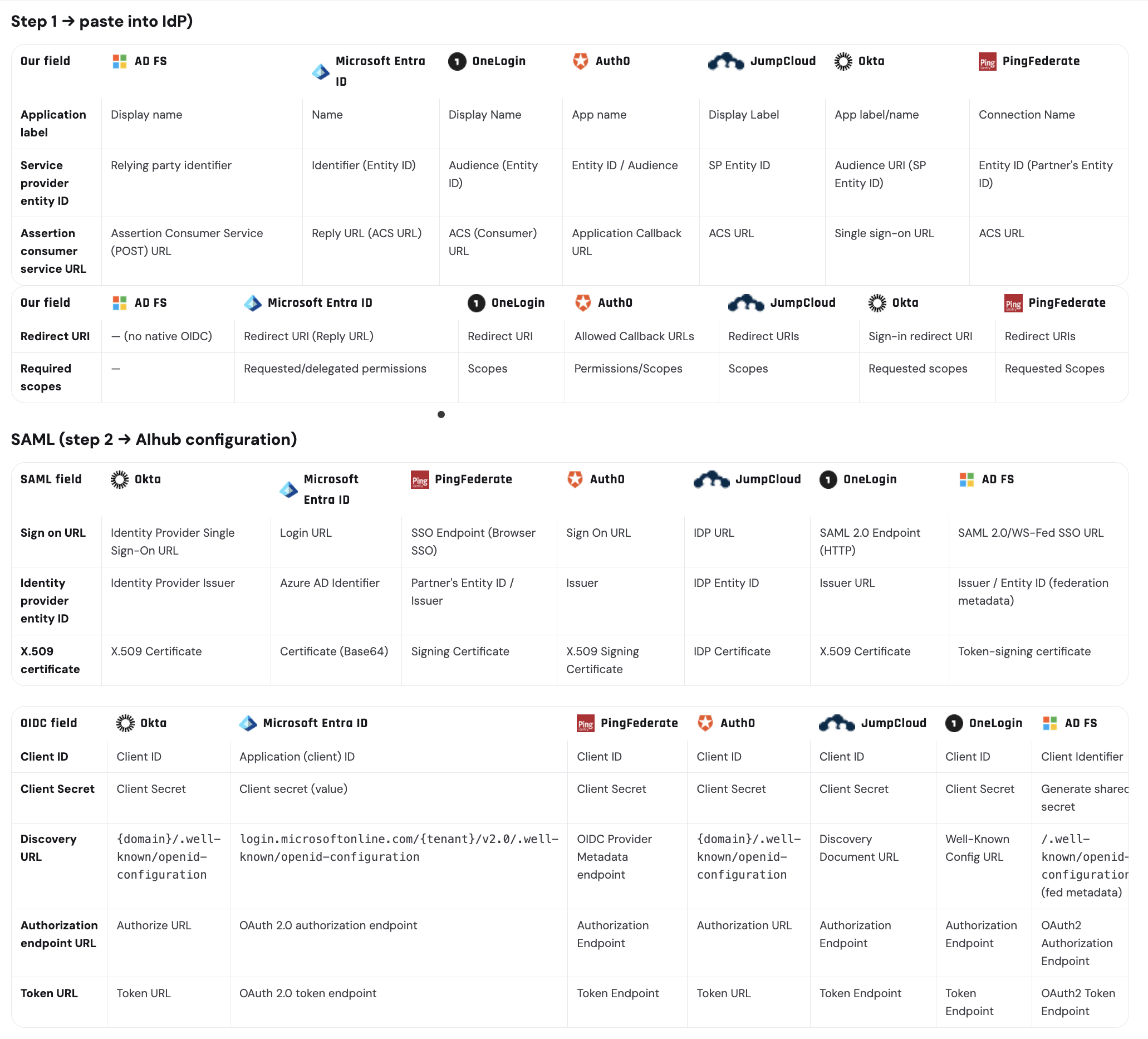
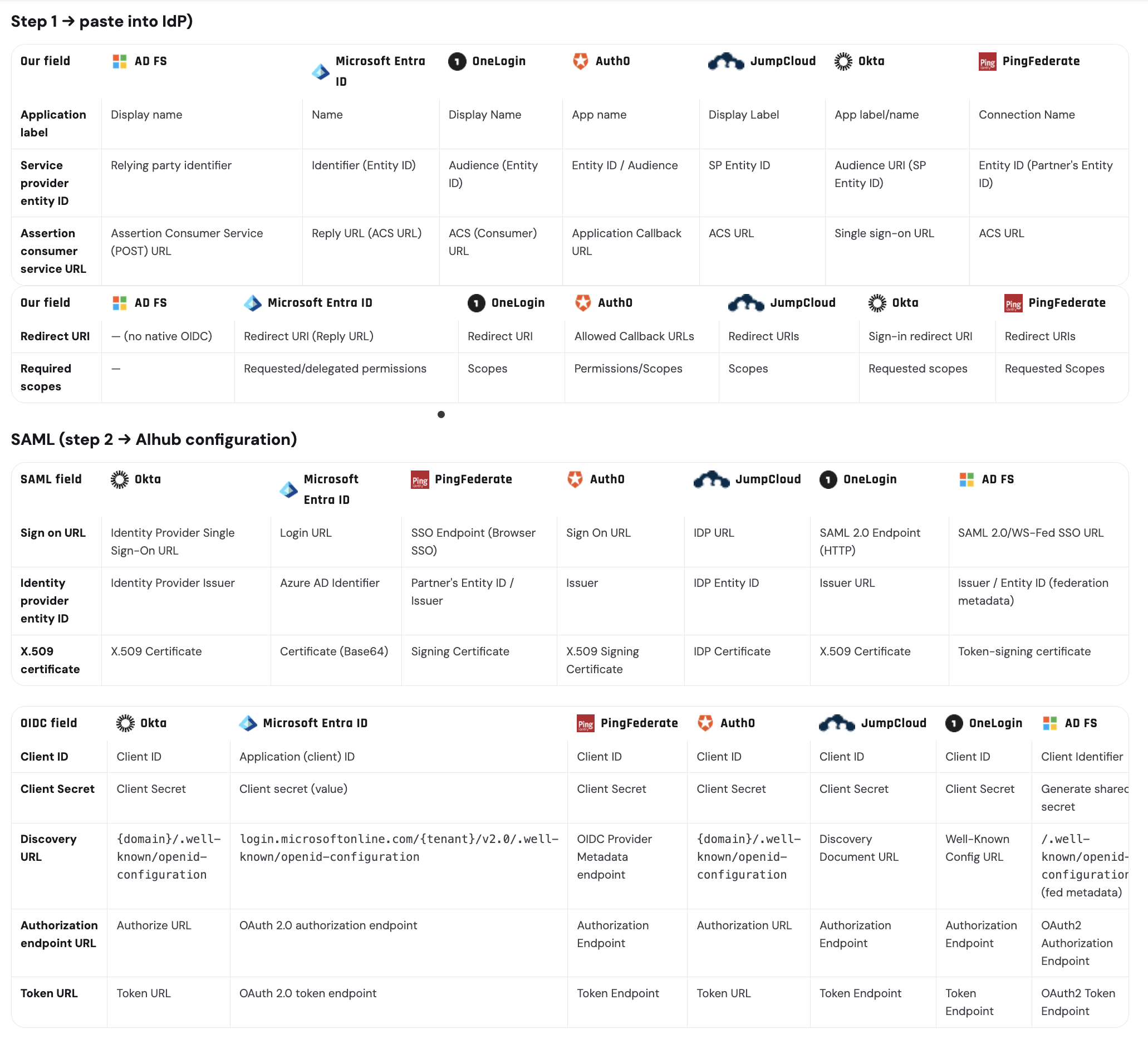
Speaking every IdP's own vocabulary

Guided setup only works if every field is labelled the way the admin's own IdP labels it. Mapping AI Hub's fields to each provider's own terminology was part of the design work.

IdP field naming matrix across providers

Key design decisions

1. Removing "domain verification" from SSO configuration entirely

🧩 ProblemThe first design routed users to an IdP by claiming an email domain. Nothing stopped an org admin from claiming a domain they don't own (including gmail.com) and silently intercepting other people's logins. A configuration screen had become a phishing vector.
🔀 Options(a) Keep domains, add a manual security-team approval gate before activation. (b) Keep domains, add DNS-based domain verification. (c) Remove the domain concept entirely and bind SSO configs directly to the organisation.
✅ DecisionOption (c). SSO configurations are associated with an org; membership is still gated by invitation, so there is nothing to hijack.
💡 WhyAn approval gate would have fixed the security problem by putting a human reviewer in front of a self-serve feature. Removing the domain concept removed the attack surface, along with a field, a validation state, an error state and a support process.

Trade-off: Multi-domain organisations (separate dev / test / prod domains, requested by one large financial-institution customer) are not served at launch. I logged this as a tracked gap.

2. "Test connection" instead of a separate mode

🧩 ProblemAn admin cannot know whether their configuration works until a real human tries to log in, and by then, if they have already enforced SSO, everyone is locked out.
🔀 Options(a) A dedicated "test mode" state on the configuration, with its own lifecycle. (b) An inline test action that runs a real sign-in against the saved config.
✅ DecisionInline test, plus a hard rule in the flow: password sign-in stays on until a successful SSO login is confirmed.
💡 WhyA separate test mode introduces a third state ("configured but not live") that has to be explained, surfaced in the list, and reasoned about at login-routing time. The inline test gives the same confidence without a new state, because password sign-in stays on until a test succeeds.

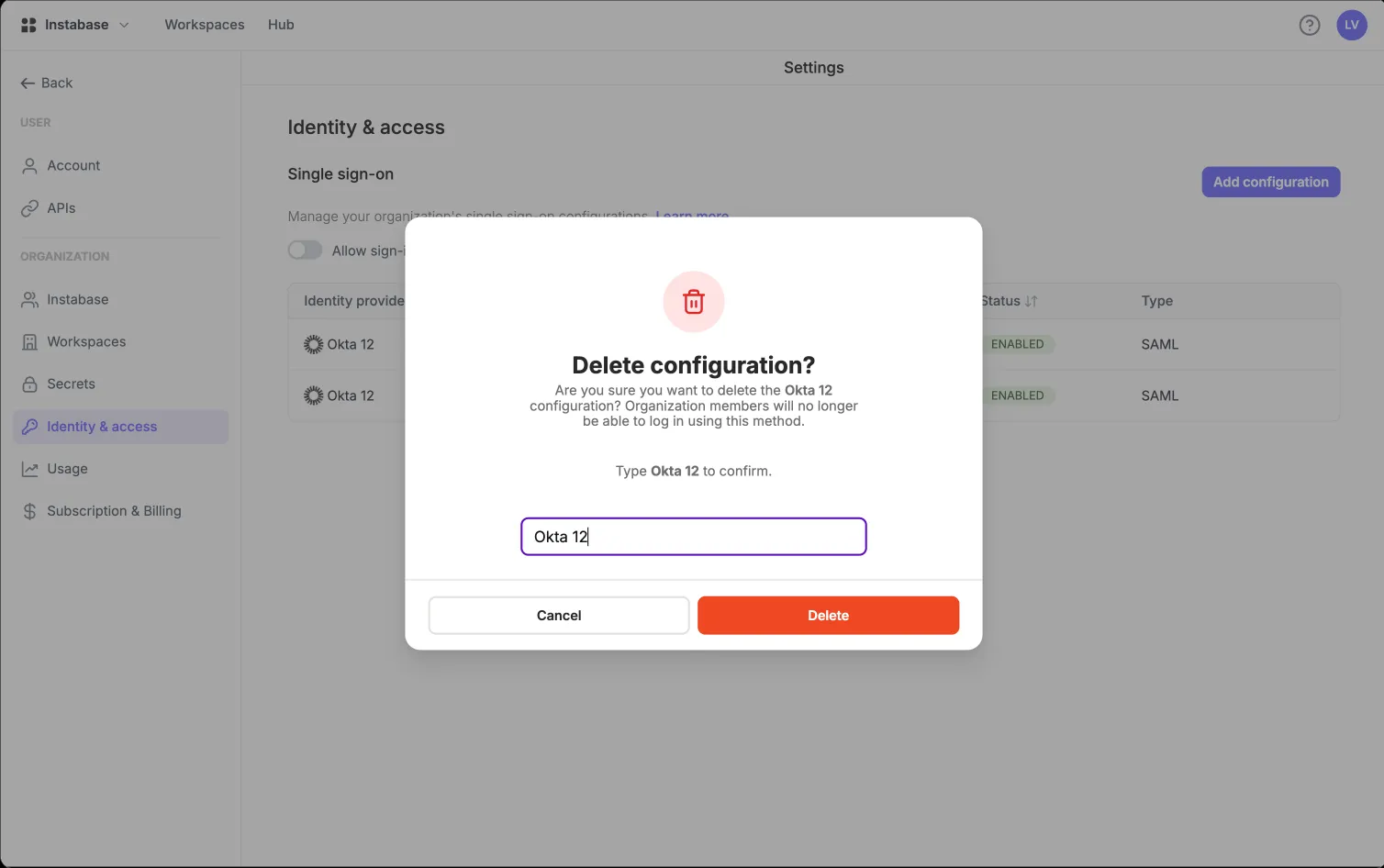
3. Making the destructive step feel destructive

🧩 ProblemTurning off "Allow sign-in with email and password" is the single action in the product that can lock an entire organisation out of its own account, recoverable only through Instabase Support.
✅ DecisionTreat it as a separate, deliberate step after successful testing (never bundled into saving a configuration), with an explicit caution about what happens if the config is wrong, and a documented recovery path.
💡 WhyEnforcing SSO is a policy decision for the whole org. Keeping "does this work?" separate from "is this now mandatory?" lets an admin check their setup without ending up with a support ticket from a locked-out CIO.

4. Attribute mapping designed around its failure mode

🧩 ProblemThe most common real-world failure was an attribute error surfacing at login as a raw string (SAML response is missing uid attribute), shown to an end user who has no idea what a SAML attribute is, hours after the admin finished configuring.
✅ DecisionRequired vs optional attributes explicitly separated in the UI and the docs; groups and is_admin presented as optional capabilities with their consequences spelled out; advanced signing settings given clear defaults (assertion signed on, response signing optional, IdP-initiated SSO allowed).
💡 WhyThree separate customer escalations traced back to attribute confusion. A better error message at login would still reach the wrong person, too late. The fix was making the requirement impossible to miss at configuration time.

5. Naming the danger in is_admin

🧩 ProblemIf the IdP sends is_admin, that value wins. It silently overrides any role change an admin makes inside AI Hub, on every login. An admin could demote someone in the UI and watch it undo itself the next morning.
✅ DecisionSay it plainly, everywhere the attribute appears: this value overrides manual role changes and resets on every login, so keep the number of admins minimal.
💡 WhyDesign can't change how the protocol behaves, but it can stop that behaviour from surprising anyone.

Audit logs of everything

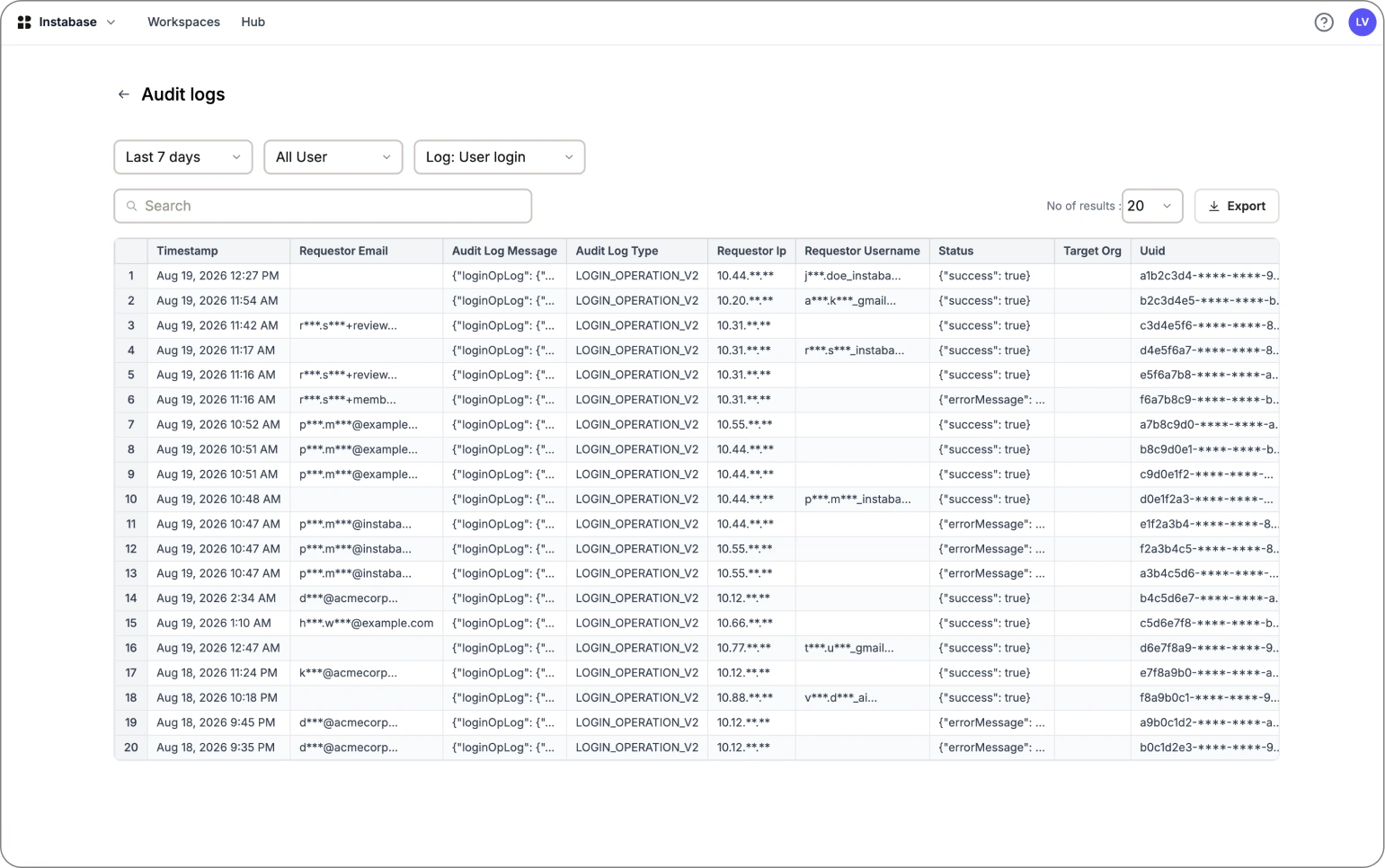
Previously, audit trails were dug out of raw log files by an internal engineer. There was no UI for admins to see them at all. This was a named SOC 2 blocker for several enterprise deals; giving admins a self-serve audit log view unlocked it.

Audit logs

*All values shown are dummy placeholders

Pillar 2 — Access that follows the org chart (RBAC)

See SolutionHide Solution

IdP group mapping for RBAC, set up by the admin

SSO answers "can this person log in?". Group mapping answers "and what should they be able to see?". SAML group mapping existed only for single tenants; OIDC group mapping was documented but did not exist. A major customer found that gap before we did.

Before

  • OIDC customers managed every group membership by hand
  • Docs claimed OIDC group mapping worked, but it didn't
  • SAML mapping was one IdP group per AI Hub group
  • No signal about when a membership change would take effect

Prototype coded from scratch with dummy values ·

Solution

  • OIDC group mapping at parity with SAML, same mental model
  • Many external IdP groups can map to one AI Hub group
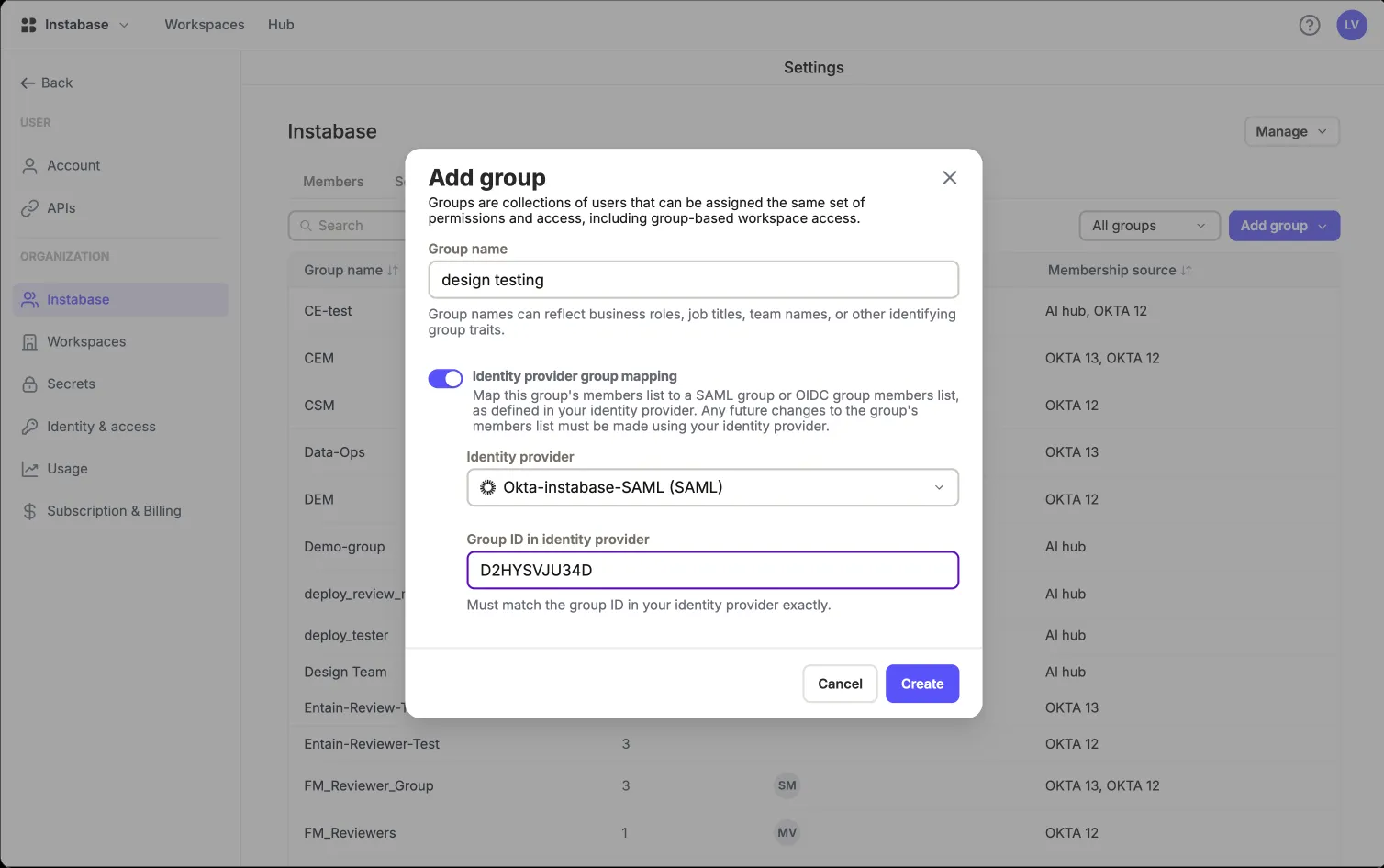
  • Mapping created inline while creating the group, or added later
  • Sync timing stated explicitly wherever mapping is configured

Prototype coded from scratch with dummy values ·

Key design decisions

1. Many-to-one mapping, not one-to-one

🧩 ProblemReal enterprises don't have one clean group per function. They have eu-analysts, us-analysts and contractor-analysts — all of whom need the same AI Hub workspace access.
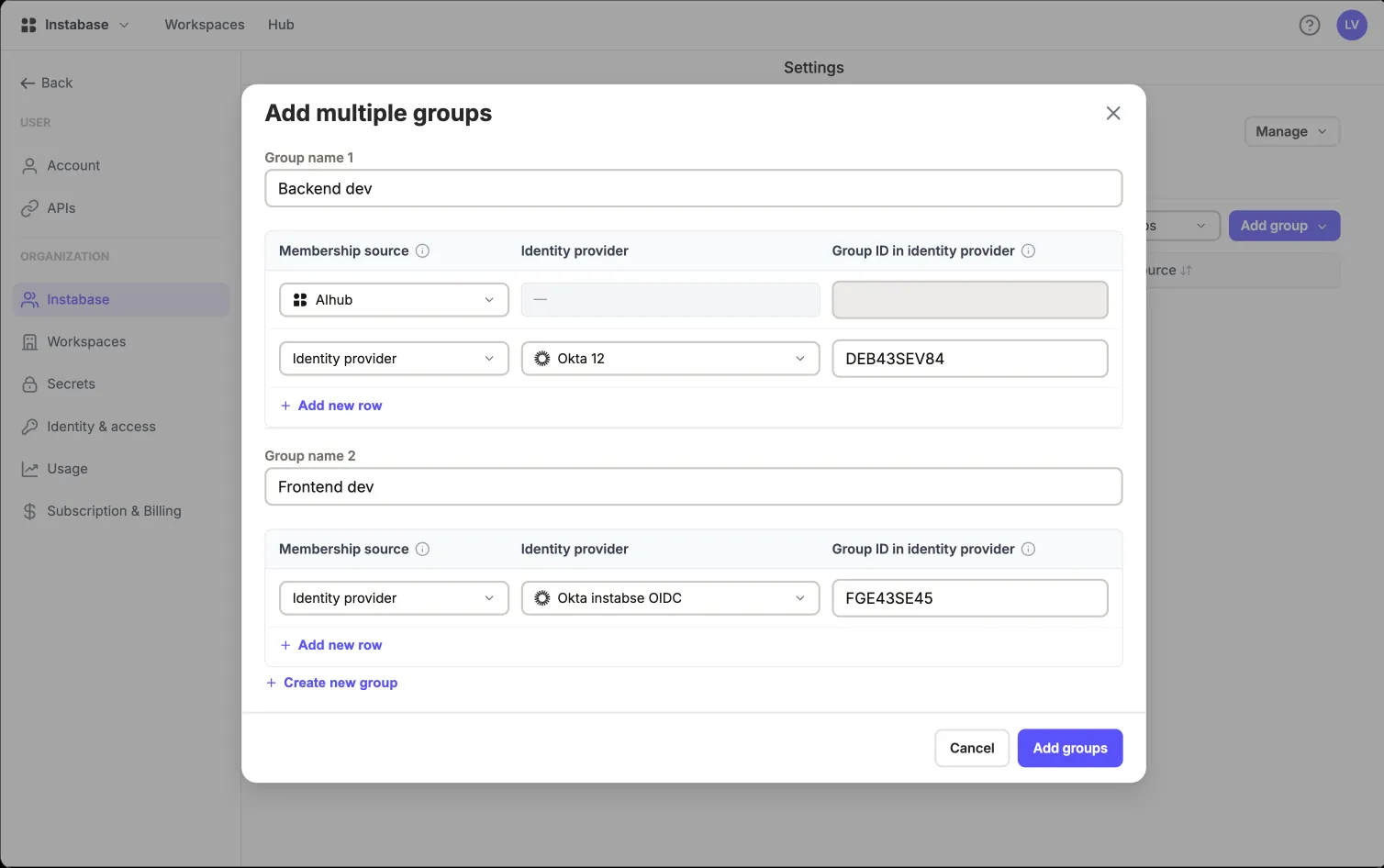
✅ DecisionAllowed AI Hub groups to map to multiple IdP group names as a list, removing the strict 1-to-1 restriction of the previous SAML implementation.
💡 WhyThe one-to-one rule was an implementation detail that had leaked into the mental model. Modelling the mapping the way customers think ("these IdP groups mean this thing here") removed a whole class of workaround groups.

2. Stating sync timing up front

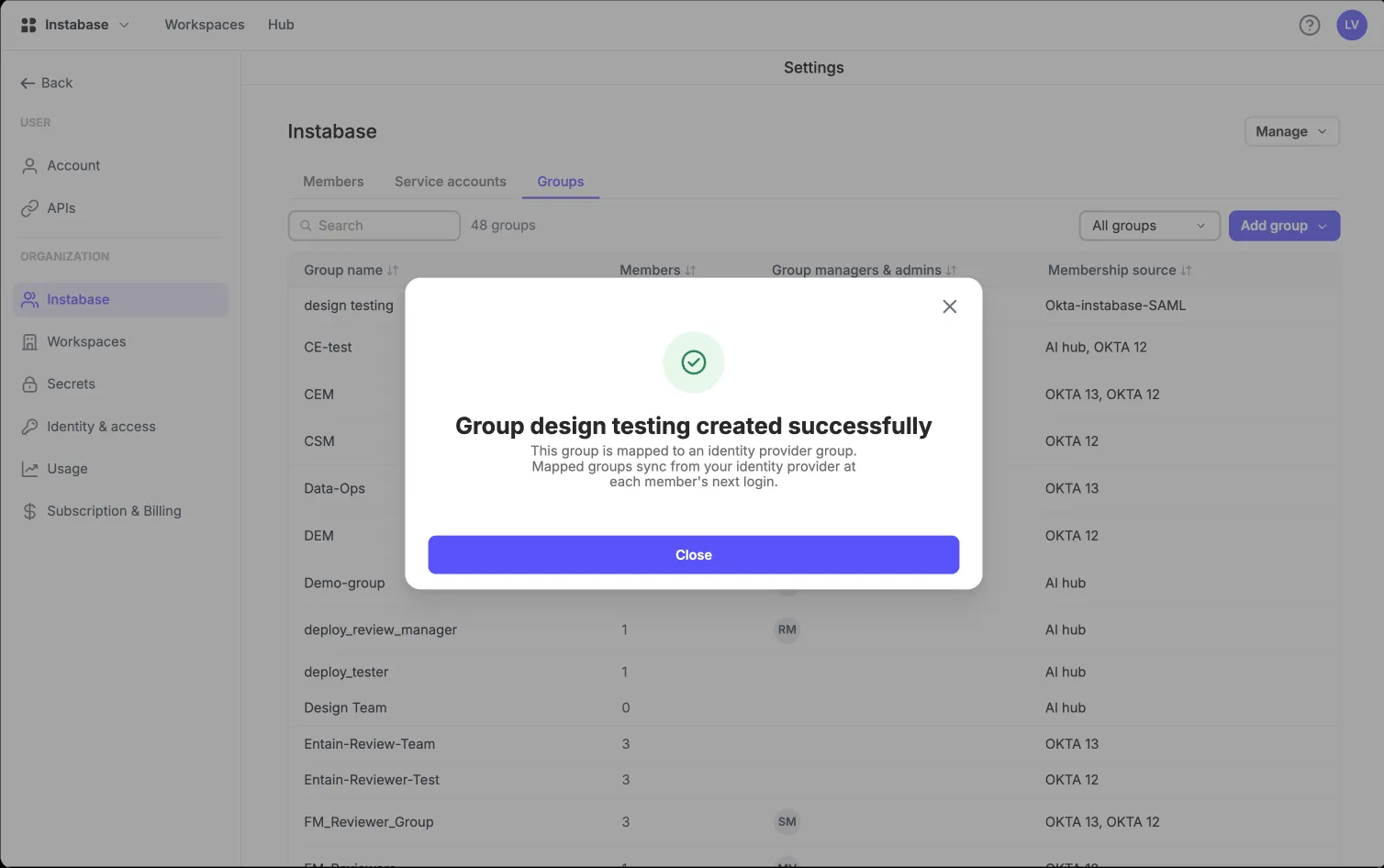
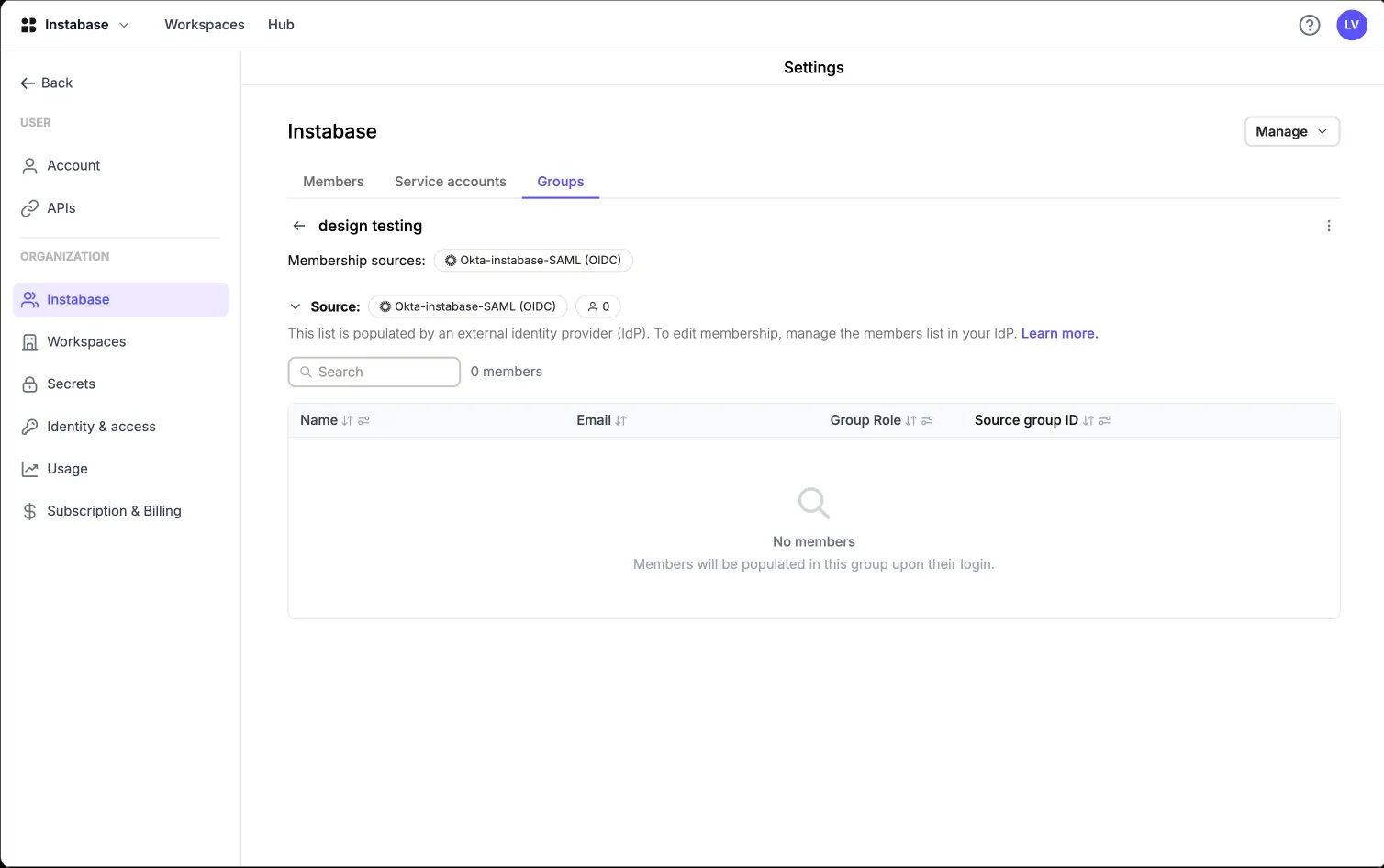
🧩 ProblemGroup membership doesn't sync when the admin saves the mapping. It syncs at each member's next login. So an admin creates a mapping, sees an empty member list, and concludes it's broken. Worse: removing someone from a group in the IdP does not remove their access until they log in again.
✅ DecisionSurfaced sync timing rules inline and in empty states: memberships update on the user's next login. Launched with JIT provisioning to unblock immediate enterprise needs while laying the groundwork for SCIM.
💡 WhyAn admin who knows about the delay can plan around it; one who doesn't will assume offboarding is instant, which is exactly the assumption an auditor punishes. It also gave the roadmap its clearest argument for SCIM.

3. Handling existing user groups in an org while transitioning to new RBAC

🧩 ProblemWhat happens to current AI Hub members when a new SAML or OIDC group mapping is introduced?
✅ DecisionPreserve existing AI Hub group mappings, and show the membership source clearly. Let admins handle removal of AI Hub-managed group membership if they wish.
💡 WhyOld group mappings still hold value for existing users. In orgs transitioning to new RBAC, this allows admins to preserve existing group memberships for current users.

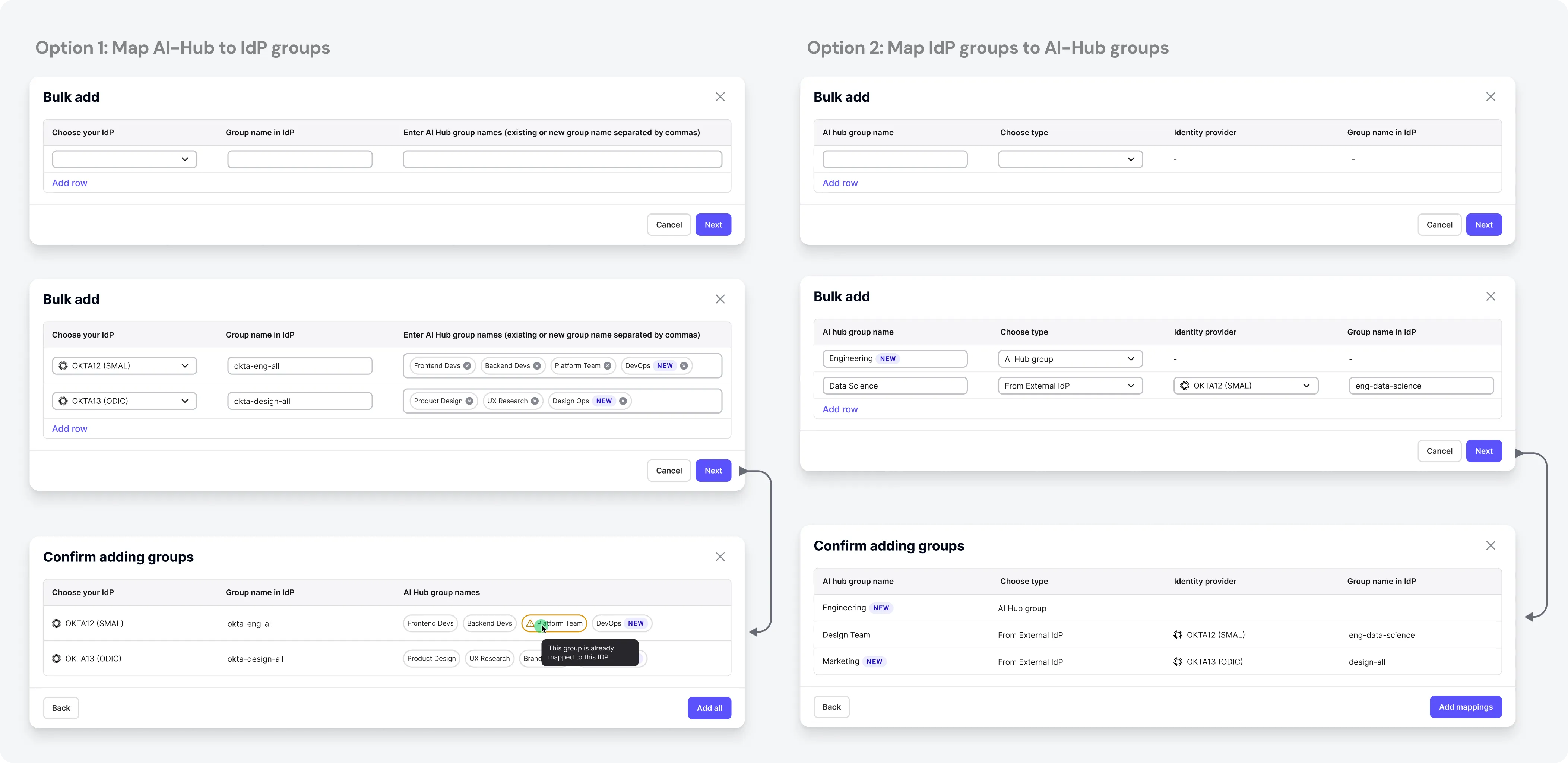
Iterations of “add multiple groups” for many-to-one mapping

Why: admins have a long list to map initially when they configure any org, and adding groups one at a time is slow. I combined the best of each iteration in the final design.

Bulk add options

Pillar 3 — From raw tokens to OAuth compliance

See SolutionHide Solution
Developer / API engineer

Developers / API engineer

Age: 29 · Backend engineer integrating AI Hub's API into an internal platform · City: Remote (US) · Ships against the API weekly, reads docs before asking for help

Pain points

  • Automation has no identity of its own in an SSO-only org
  • Long-lived tokens violated enterprise security policies, requiring a transition to OAuth2 standards
  • A token silently carries its creator's full admin rights
  • No API to create, rotate or delete tokens programmatically

Needs

  • Tokens issued and revoked by their own IdP
  • A non-human account they can map a client to
  • Explicit, inspectable scope on every token
  • A copy-paste path that actually works first try

Qualities

  • Reads the error body, not the error toast
  • Judges the product by its first successful API call
  • Will happily automate around us if we get in the way

Target flow

Register app in own IdP
→
Add OAuth provider config in AI Hub
→
Map sub to a service account
→
Request JWT from IdP
→
Call AI Hub API as Bearer
→
Disable native tokens org-wide

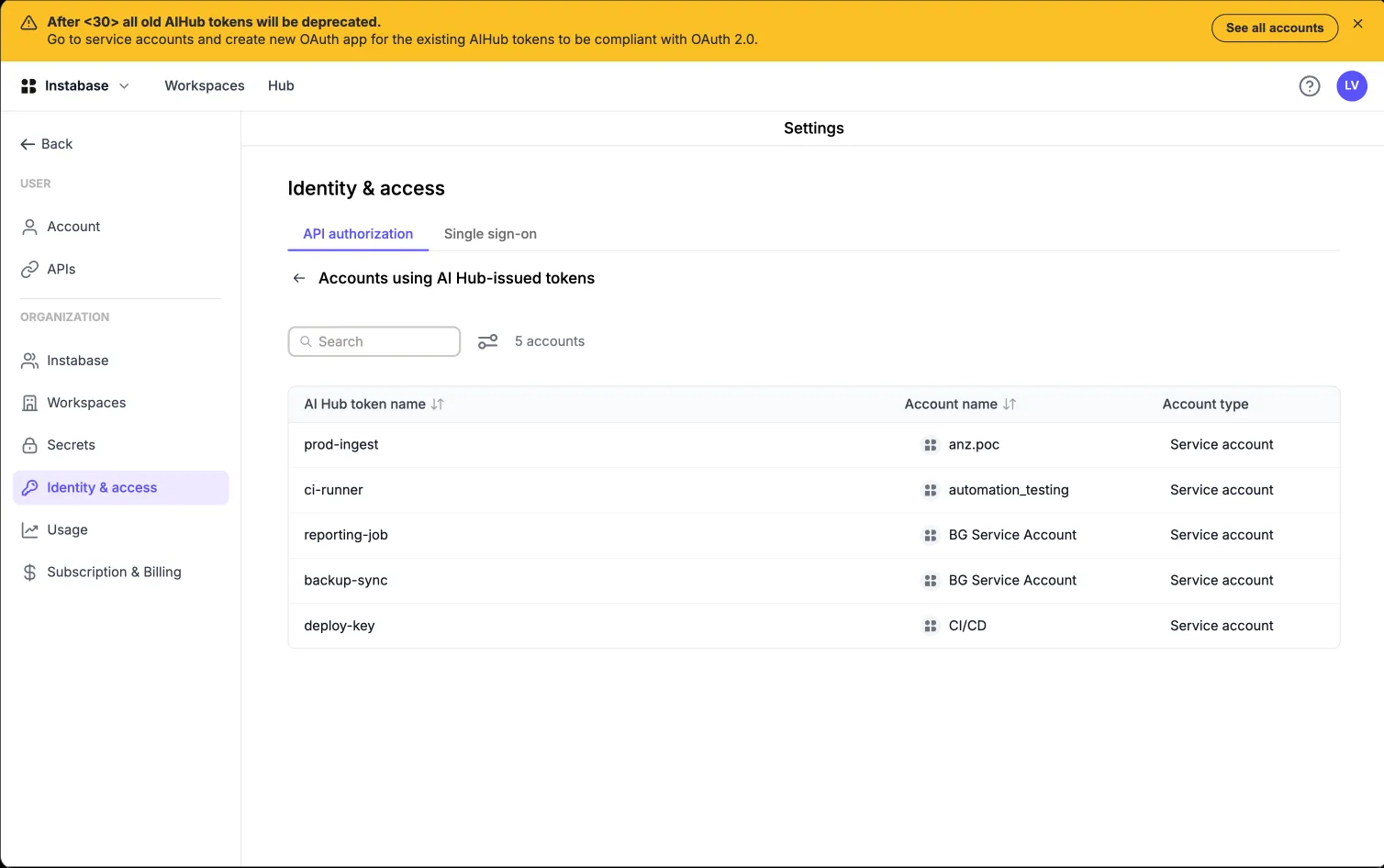
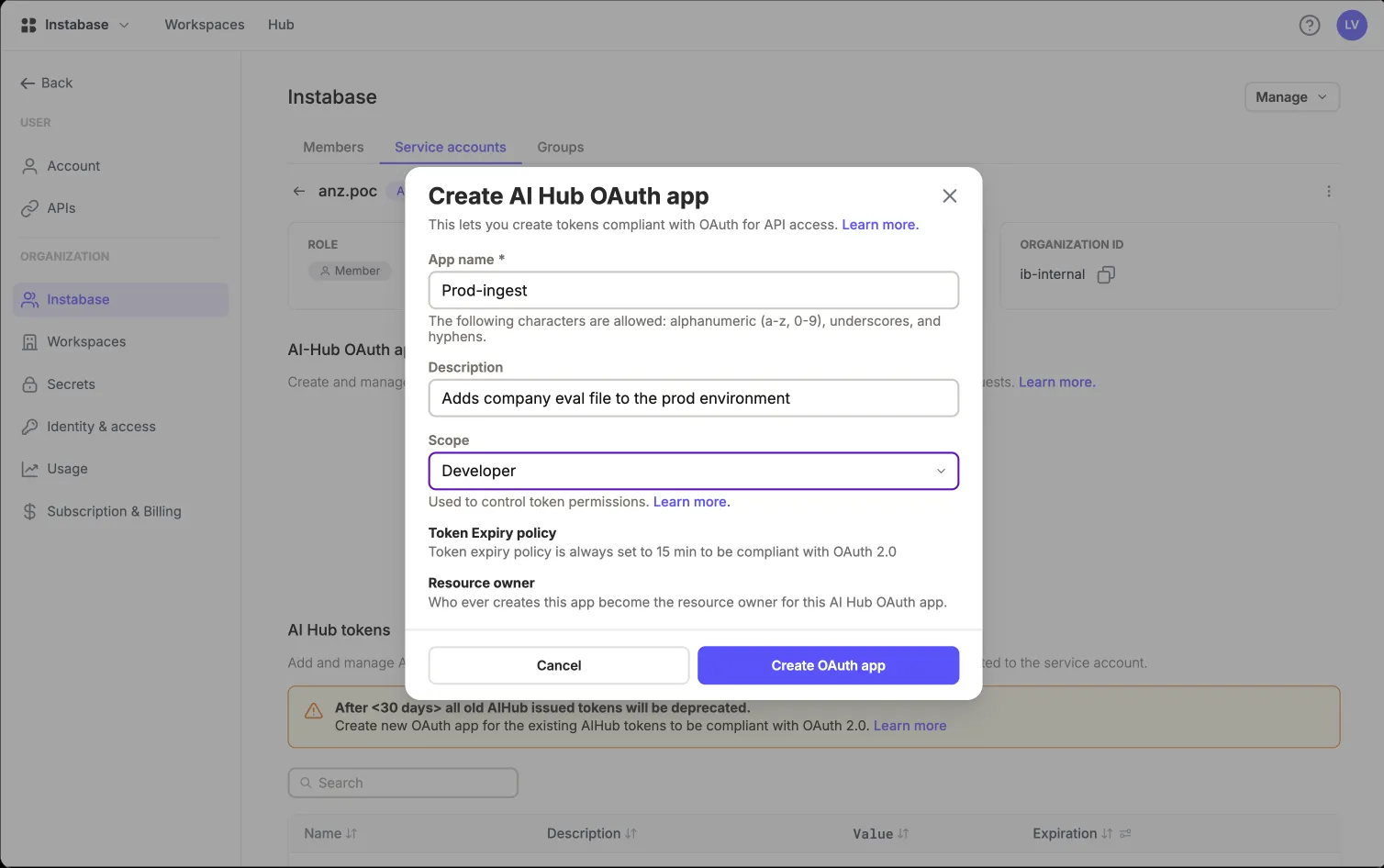
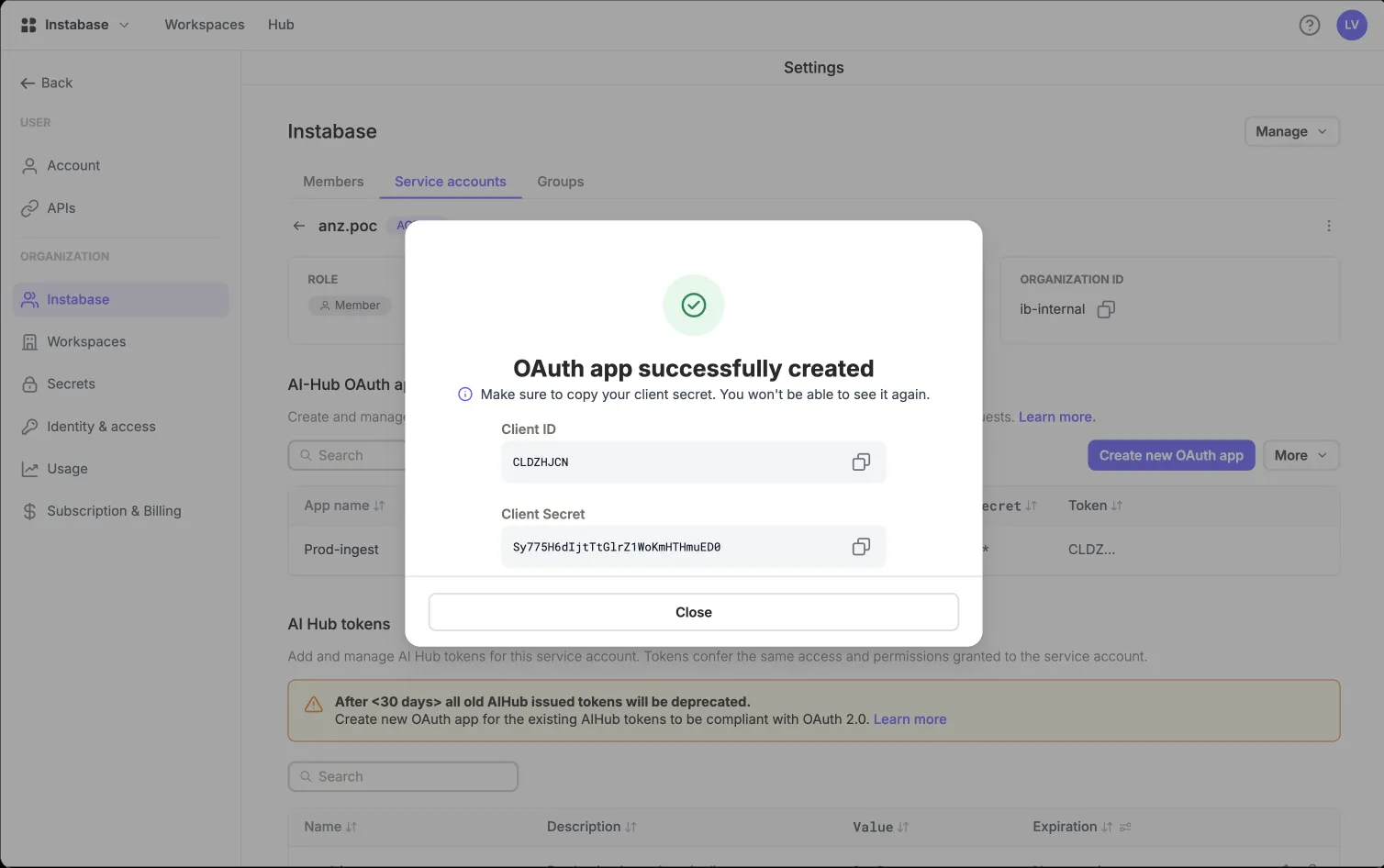
OAuth-compliant API authentication

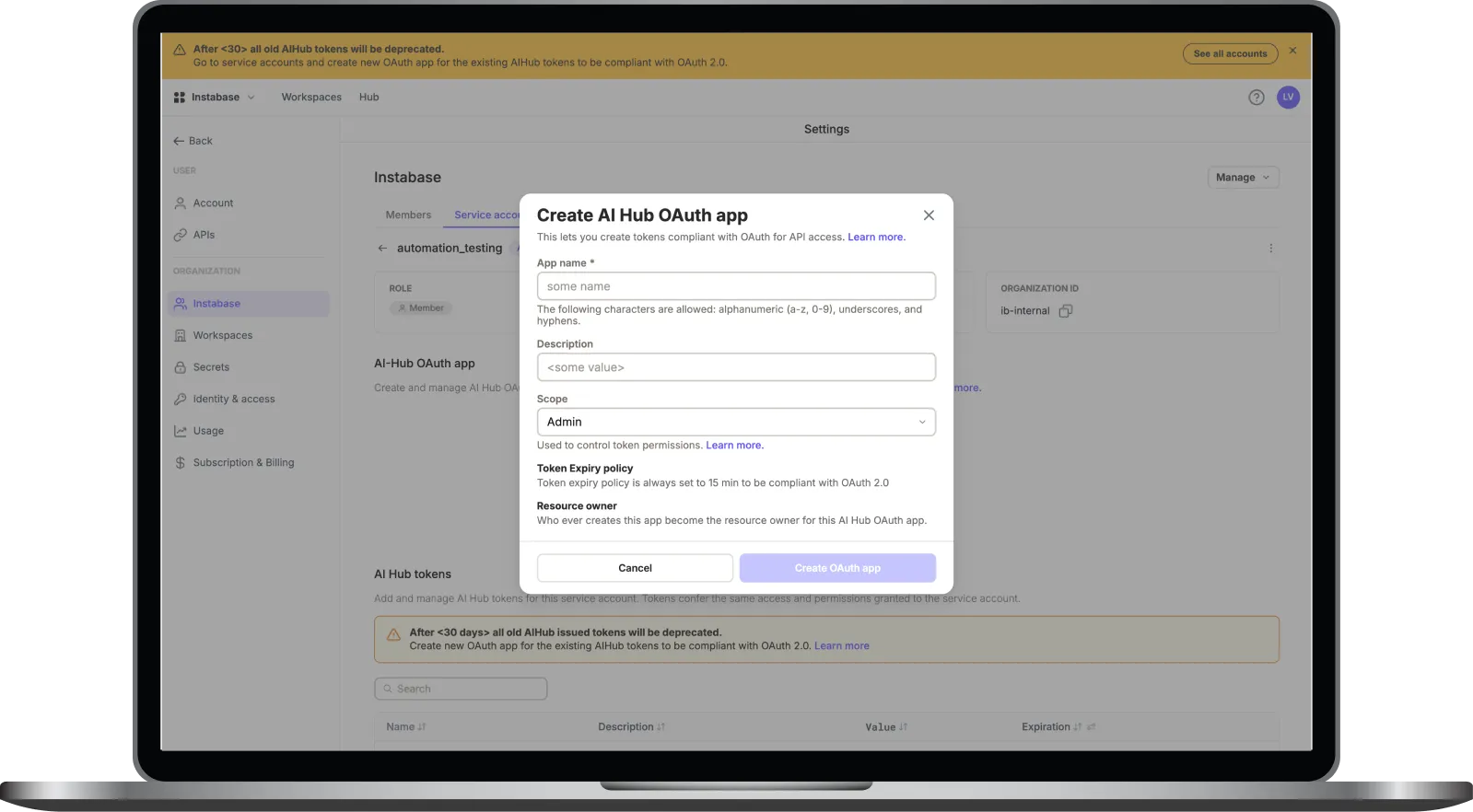
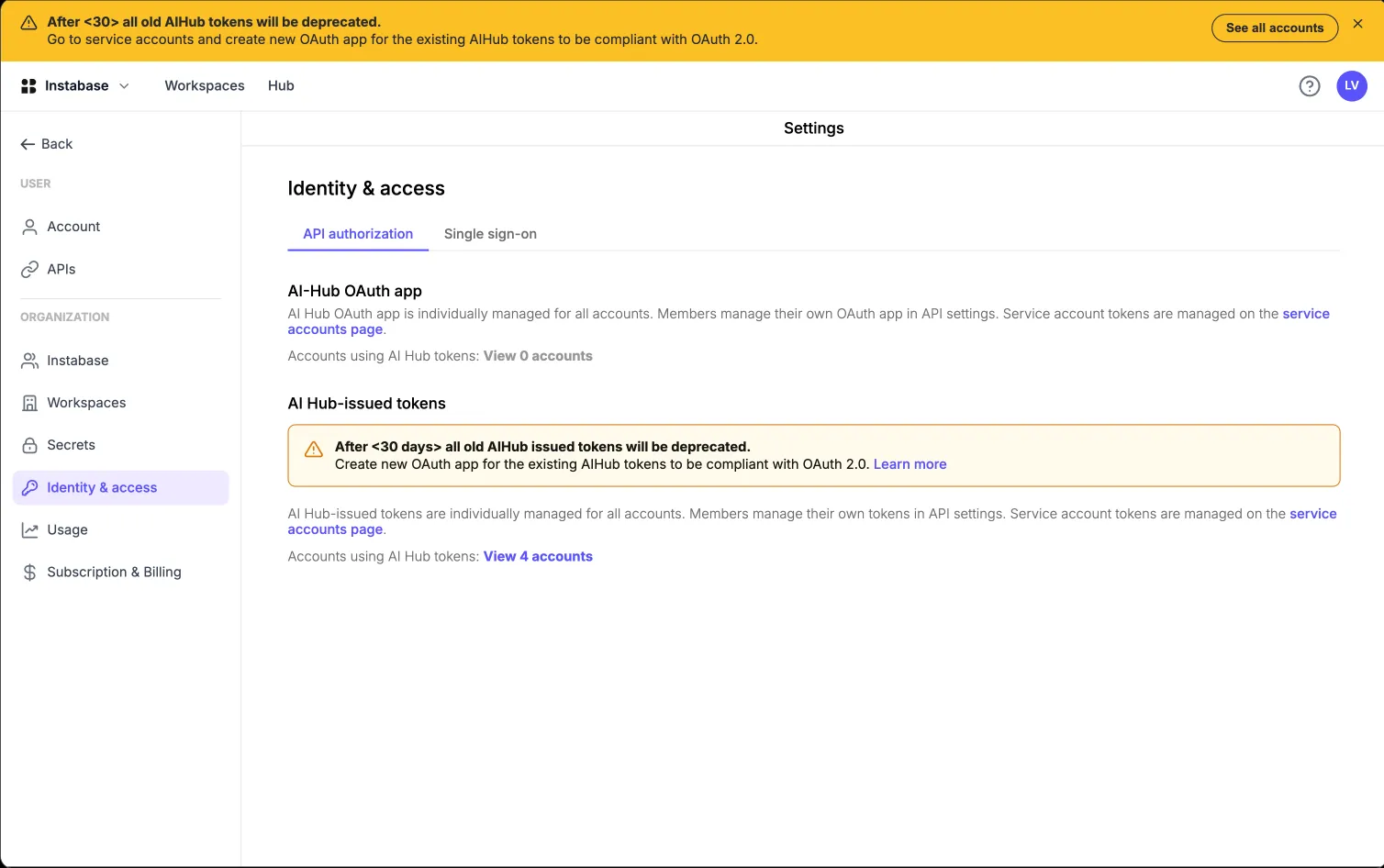
Delivered in two phases. Release 2 let AI Hub issue short-lived, OAuth2-compliant tokens and deprecated the legacy raw tokens. Release 3 let organisations bring their own IdP (BYO-OAuth), with scoped JWT validation.

Before

  • Long-lived opaque tokens, generated in the UI
  • Token silently inherits its owner's full permissions
  • No expiry, no rotation, no IdP-side revocation

Prototype coded from scratch with dummy values ·

Stage 1 solution

  • AI Hub OAuth app issues short-lived tokens (15 min)
  • Signature, issuer, audience and expiry validated on every call
  • Ability to set scope of the token
  • Deprecation and migration plan for the old AI Hub raw tokens

Prototype coded from scratch with dummy values ·

Stage 2 solution

  • Customer's own OAuth provider issues short-lived JWTs (15–60 min)
  • Signature, issuer, audience and expiry validated on every call
  • Scope claim downscopes the token to specific roles

Prototype coded from scratch with dummy values ·

Key design decisions

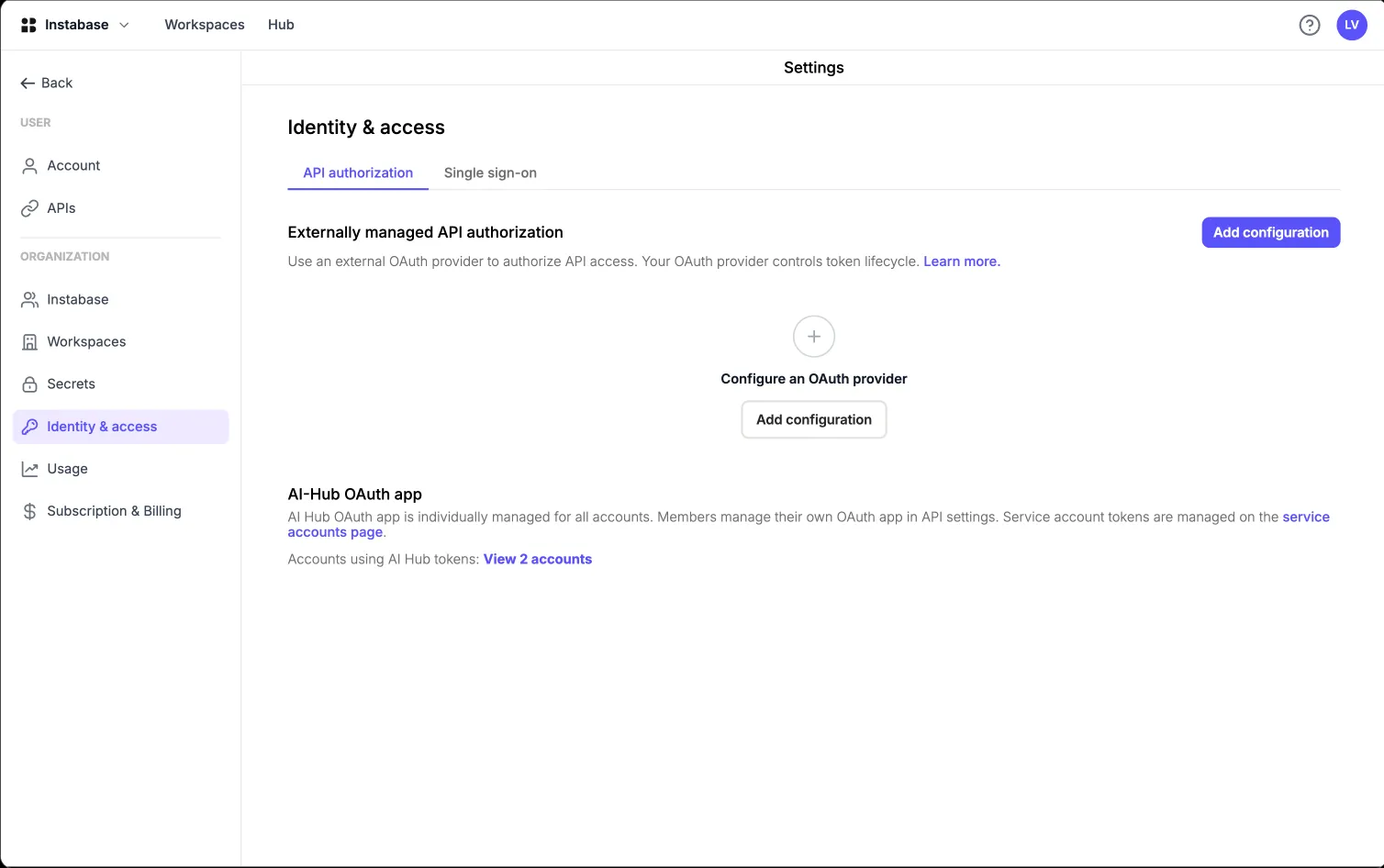
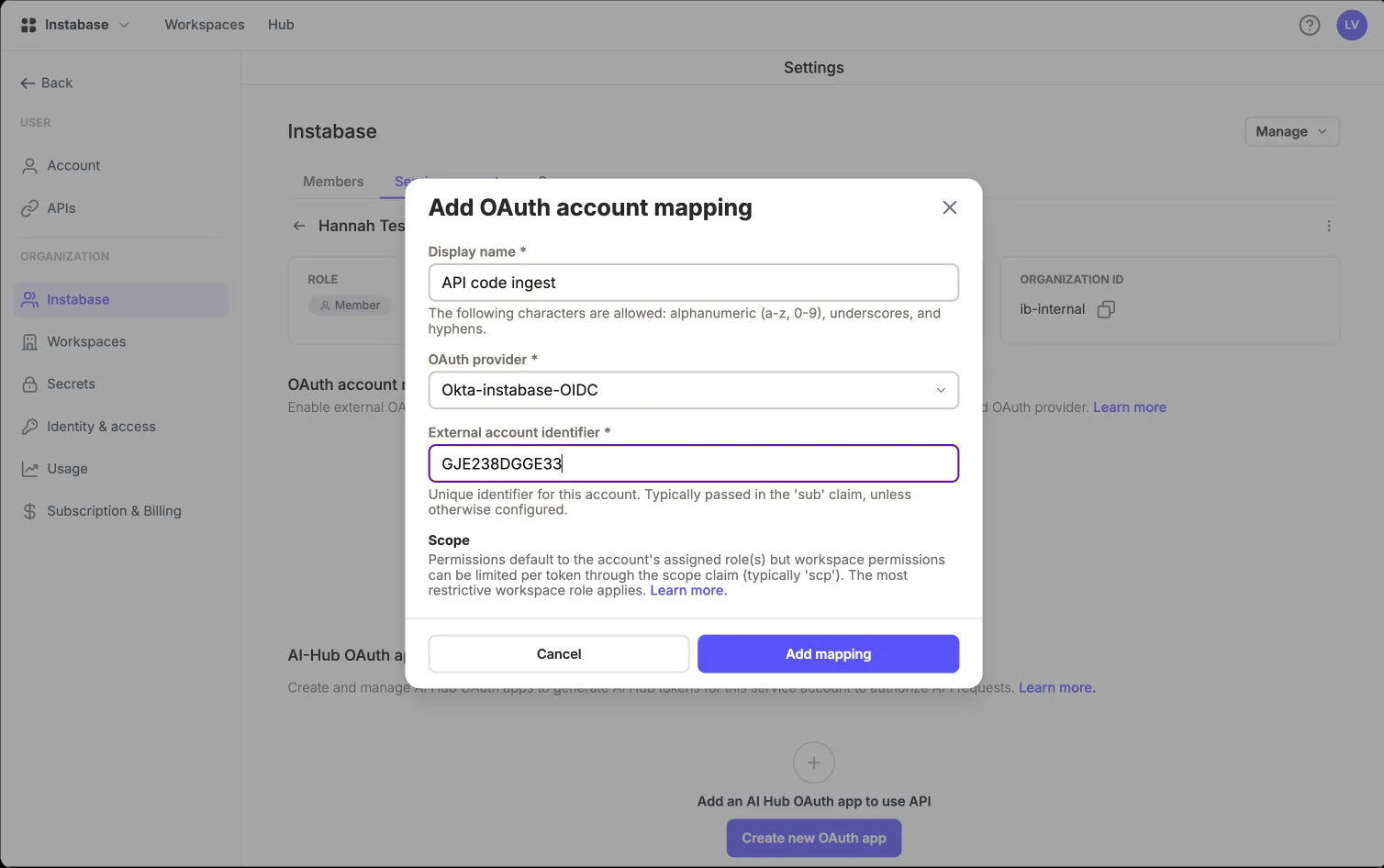
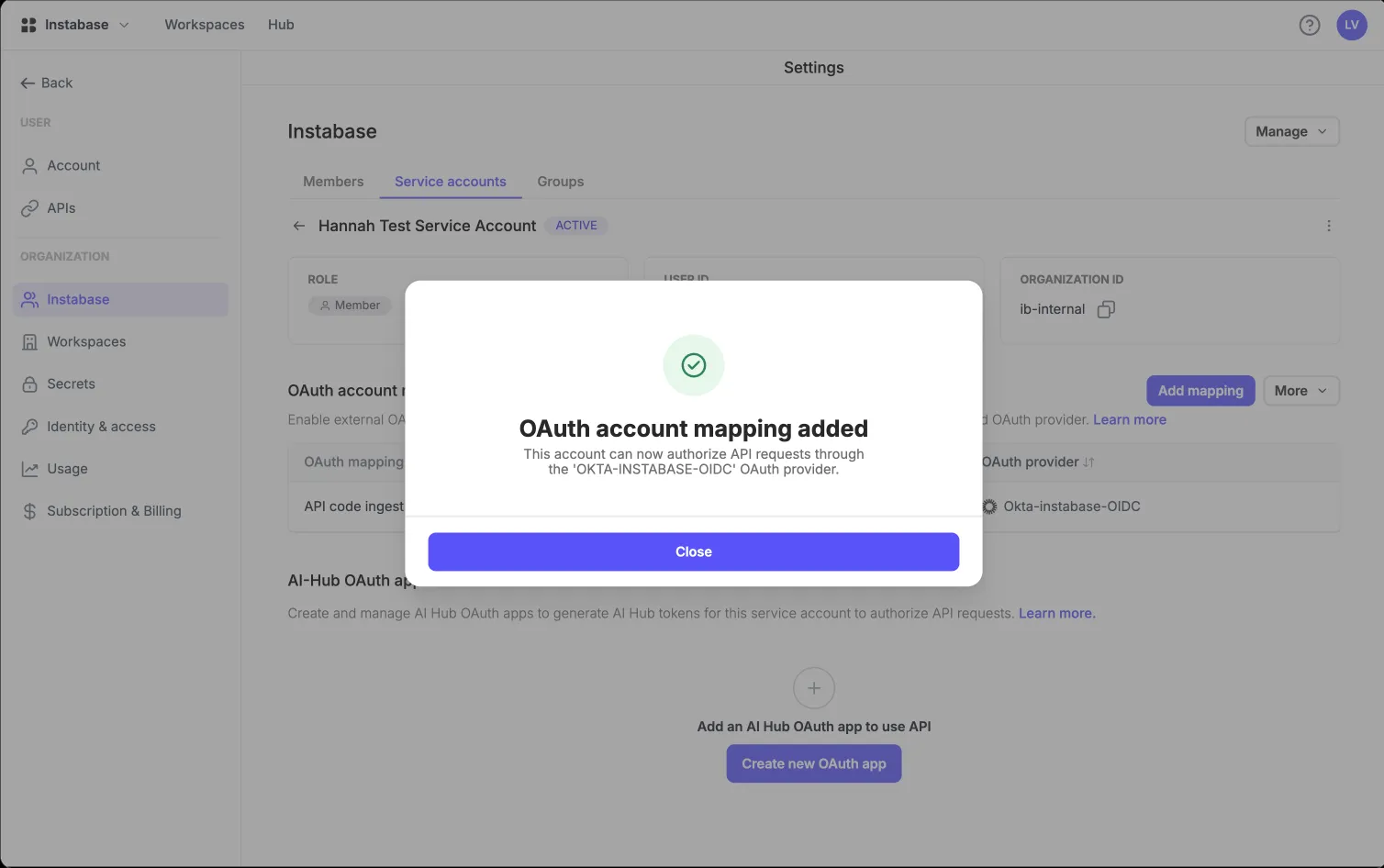
1. Two objects: provider configuration and account mapping

🧩 Problem"Set up OAuth" is really two different jobs done by two different people at two different times: an org-wide trust relationship with an identity provider, and a per-identity claim that "this external subject is that account here".
🔀 Options(a) One combined wizard. (b) Two separate objects, each with its own lifecycle and its own home in the IA.
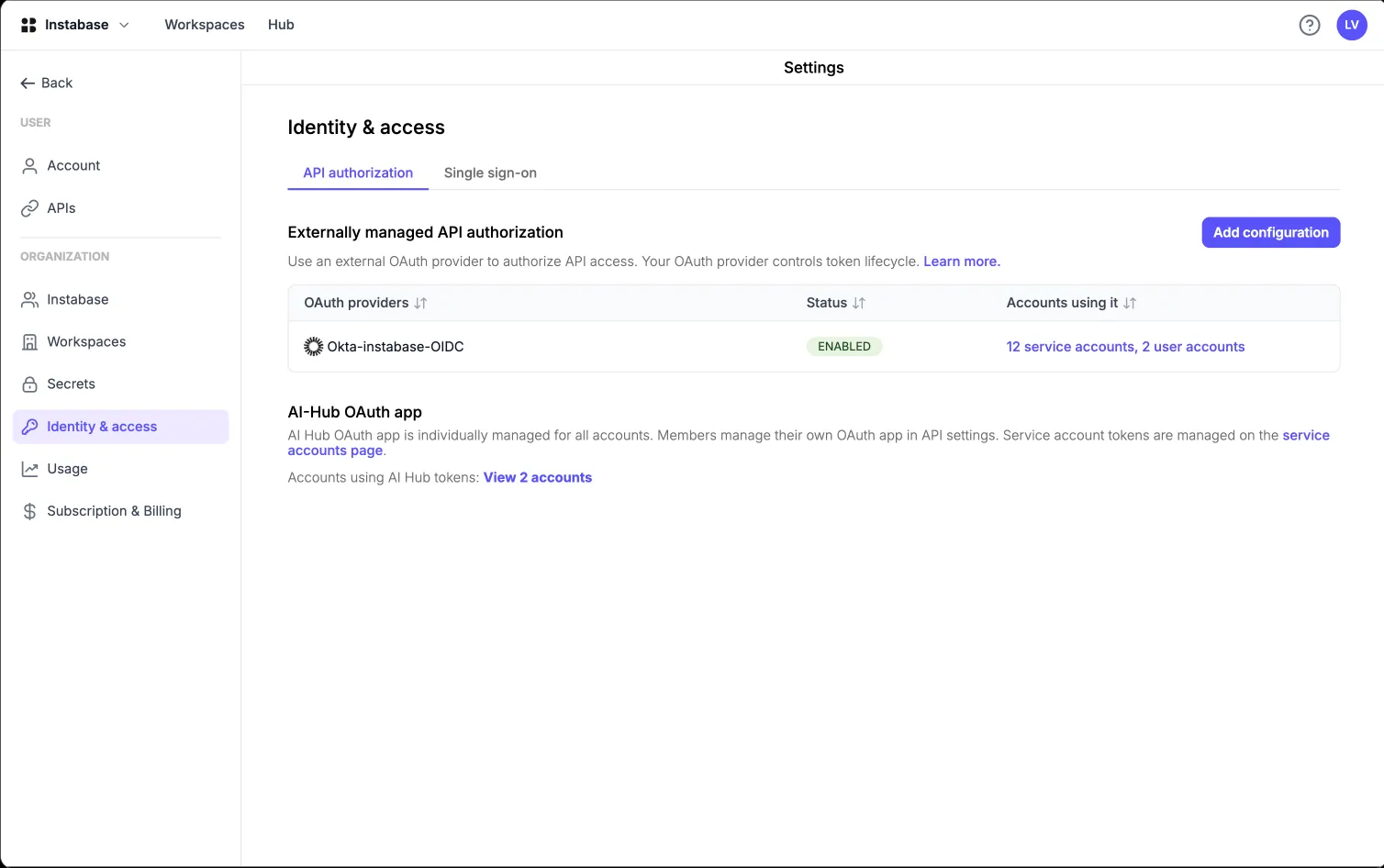
✅ DecisionTwo objects. The provider configuration lives under Identity & access; the account mapping lives on the member or service account it belongs to. Both are required before any external token authenticates.
💡 WhyConfiguring a provider is a one-time act; mapping accounts is continuous, and belongs where the account lives. Splitting them also made the failure states diagnosable, because "no provider" and "no mapping" are different problems with different fixes.

2. Terminology as a design deliverable

🧩 ProblemEarly drafts used "OAuth client" for three different things: the customer's IdP auth server, the app registered inside it, and the link between that app and an AI Hub identity. Reviews kept stalling on which one anyone meant.
✅ DecisionFix the vocabulary before the UI: OAuth provider configuration (the trust relationship), external OAuth client (the app in the customer's IdP), account mapping (the link to an AI Hub identity).
💡 WhyIn identity work, the names shape how everyone thinks about the system. Once the three objects had distinct names, the screens, the API and the documentation followed, and review conversations stopped going in circles.

3. A staged migration instead of a single cutover

🧩 ProblemEvery existing customer had working automation built on raw internal tokens. Deprecating them abruptly breaks production pipelines at exactly the customers we're trying to impress.
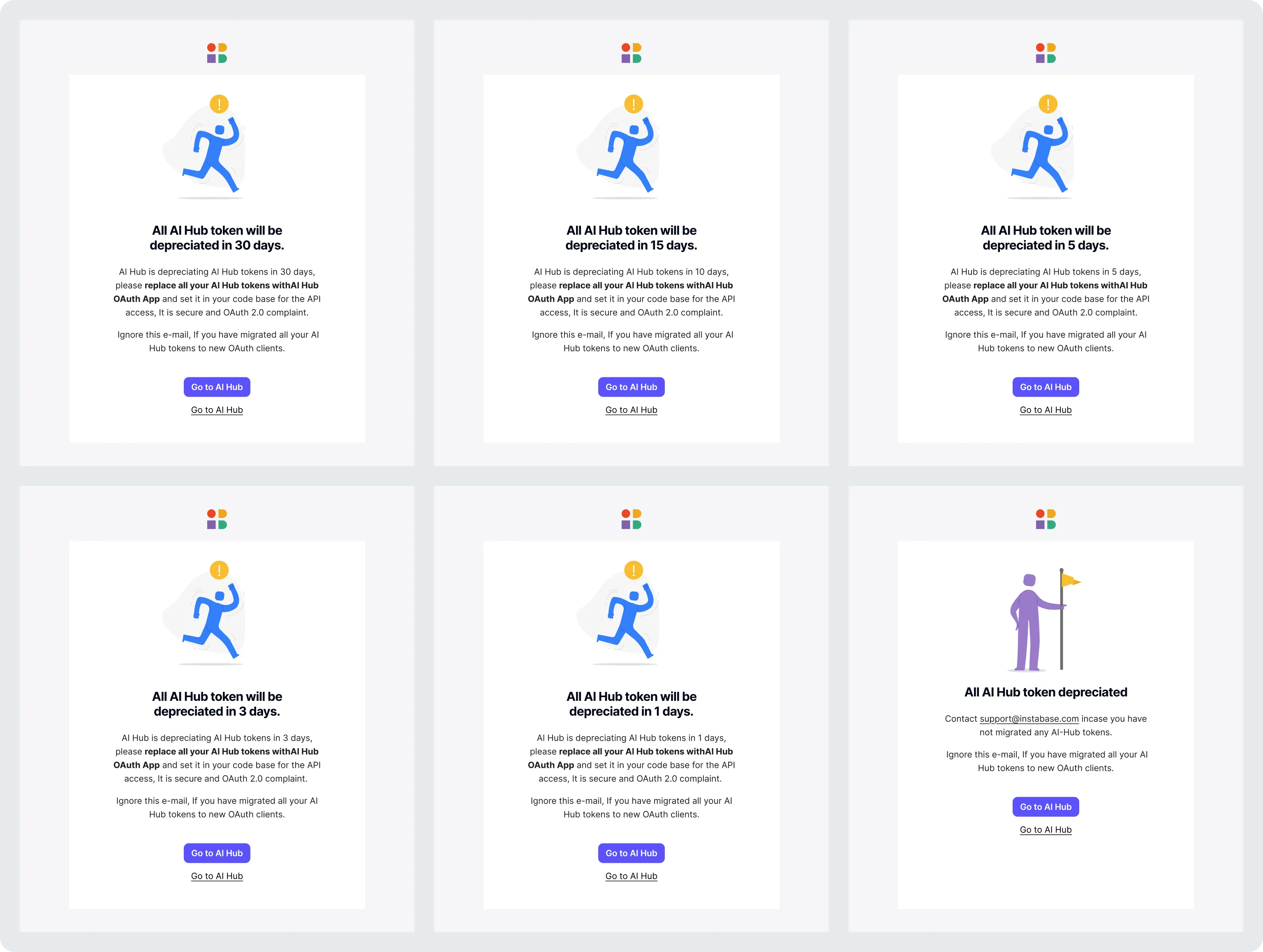
✅ DecisionA staged migration: (1) external IdP tokens ship alongside native tokens; (2) admins control who can create native tokens: all members, selected groups, or nobody; (3) an org that has moved to OAuth can switch native tokens off entirely, forcing all API access through the provider; (4) AI Hub-managed OAuth2 tokens replace the remaining opaque tokens.
💡 WhyI treated deprecation as a design problem. Each organisation got its own switch, and a reversible one, since disabling native tokens suspends them instead of deleting them. Security-forward customers could move immediately without breaking anyone else.
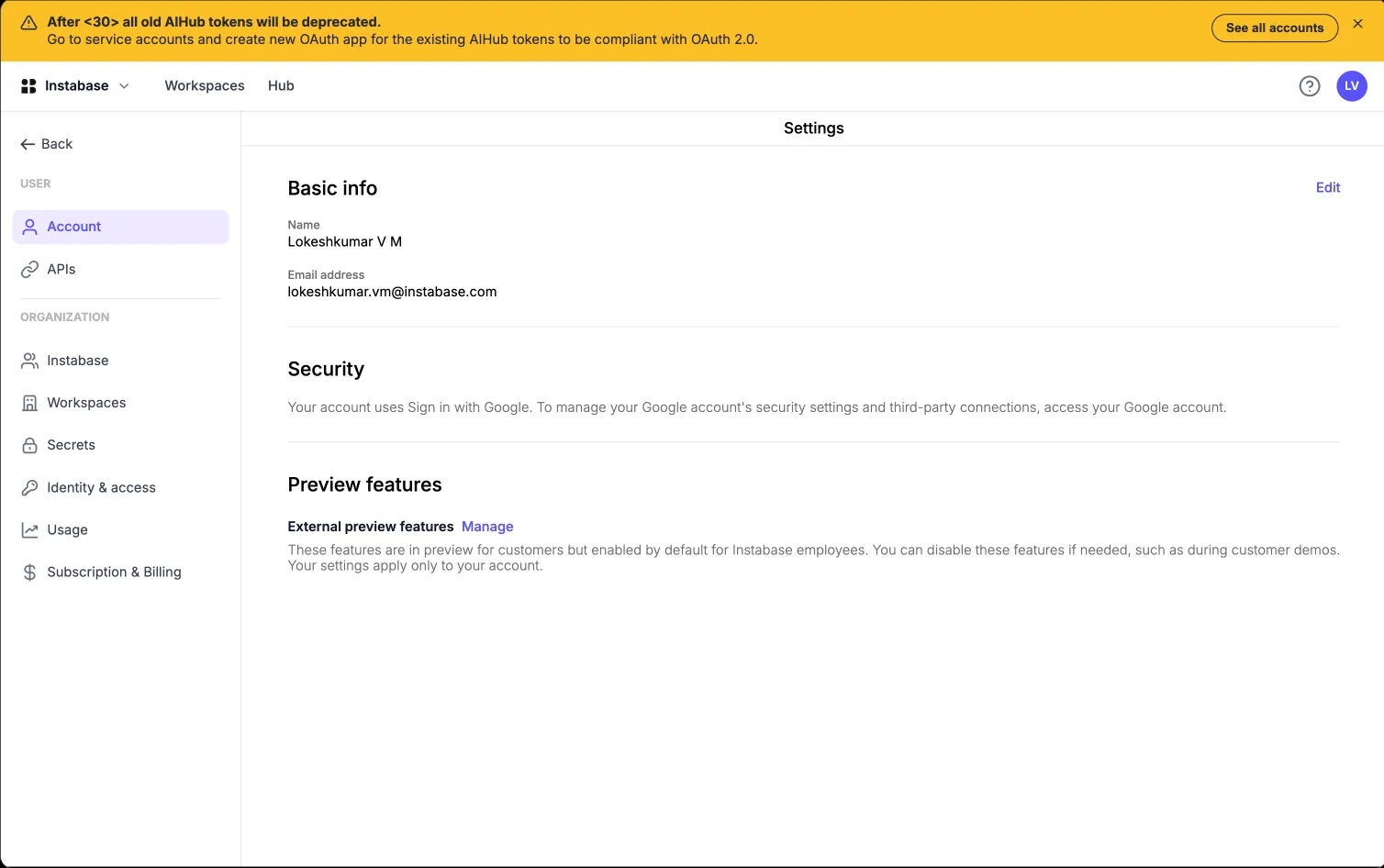
Deprecation warning emails and token migration notifications

4. One client, one identity

🧩 ProblemShould several external OAuth apps be allowed to map to a single shared service account? It's convenient, but it breaks least privilege, because every app inherits the same rights.
✅ DecisionOne-to-one. Each external client maps to exactly one AI Hub user or service account. Each account may hold one mapping per configured provider.
💡 WhyOne global investment bank customer cannot configure scopes on their side at all. If a customer can't express least privilege through scope, the only remaining lever is the identity itself, so the client had to become the unit of privilege. A constraint from one customer's security policy became the safer default for everyone.

5. Scope may only reduce, never grant

🧩 ProblemIf a JWT's scope claim controls what the token can do, could a customer mint themselves admin rights by writing an admin role into a token?
✅ DecisionScope always downscopes and never upscopes. It is expressed as immutable role UUIDs; multiple roles are additive (most permissive wins); a workspace role without an organisation role is invalid; and a workspace role still requires real membership of that workspace. If the scope claim is absent or invalid, the token falls back to the mapped account's normal roles.
💡 WhyEnterprise security teams need this guarantee before they accept token-based access. Role UUIDs are less friendly than readable names, but a renamed role must never silently change what a live token can do.

What shipped when

This is the release plan I proposed and the order it shipped in, with the biggest blockers first.

Release 1

SSO for multi- and single-tenant

Self-serve SAML 2.0 and OIDC configuration for enterprise-tier orgs, gated by a per-org feature flag.

Post-Release 1

OIDC group mapping

Brought OIDC to parity with SAML group mapping, with many-to-one IdP-group support.

Post-Release 1

Just-in-time provisioning for multi-tenant

Accounts are created automatically on a user's first SSO login, including in multi-tenant orgs. This removed the last manual step from onboarding.

Release 2

AI Hub-managed OAuth2 tokens

Short-lived JWTs and refresh tokens issued by AI Hub itself, so customers without their own IdP get the same security posture as those who do.

Post-Release 2

Deprecation of raw AI Hub-issued tokens

Long-lived opaque tokens retired now that AI Hub-managed OAuth2 tokens cover the customers who lack their own IdP.

Release 3

Customer-IdP-managed API tokens

External OAuth provider configuration, account mappings, and JWT validation, so a customer's own IdP can issue AI Hub API credentials.

Post-Release 3

Token scopes

Downscoping via immutable role UUIDs, so a token can carry less authority than the identity behind it. Completed the least-privilege model one global investment bank's constraints required.

Named gap

SCIM provisioning & offboarding

Today, deprovisioning takes effect at next login. SCIM makes removal real-time. It's the single largest remaining item on an enterprise security checklist.

Named gap

Multi-domain SSO

Remove the manual per-org flag entirely, and support organisations that need separate IdP configurations per domain or environment.

Next

AI-assisted configuration

The concept from the previous section: metadata parsing, plain-English validation, attribute-mapping inference and a login-failure debug assistant.

How I got there

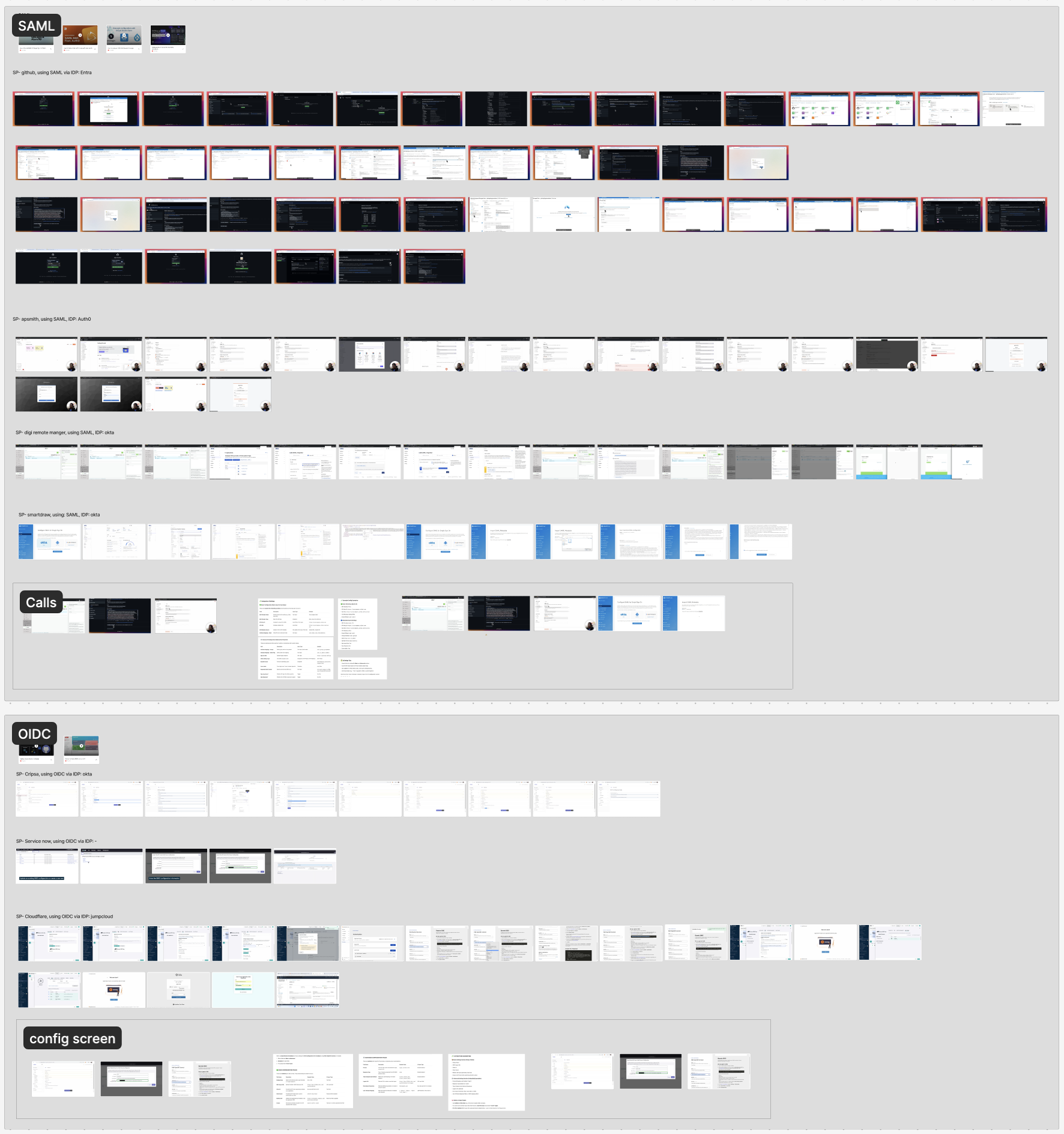
  • Research — Mined 3 years of Slack, Zendesk & support logs into an evidence-backed problem list.
  • Primary research — Direct customer quotes and validation-call constraints that shaped the design.
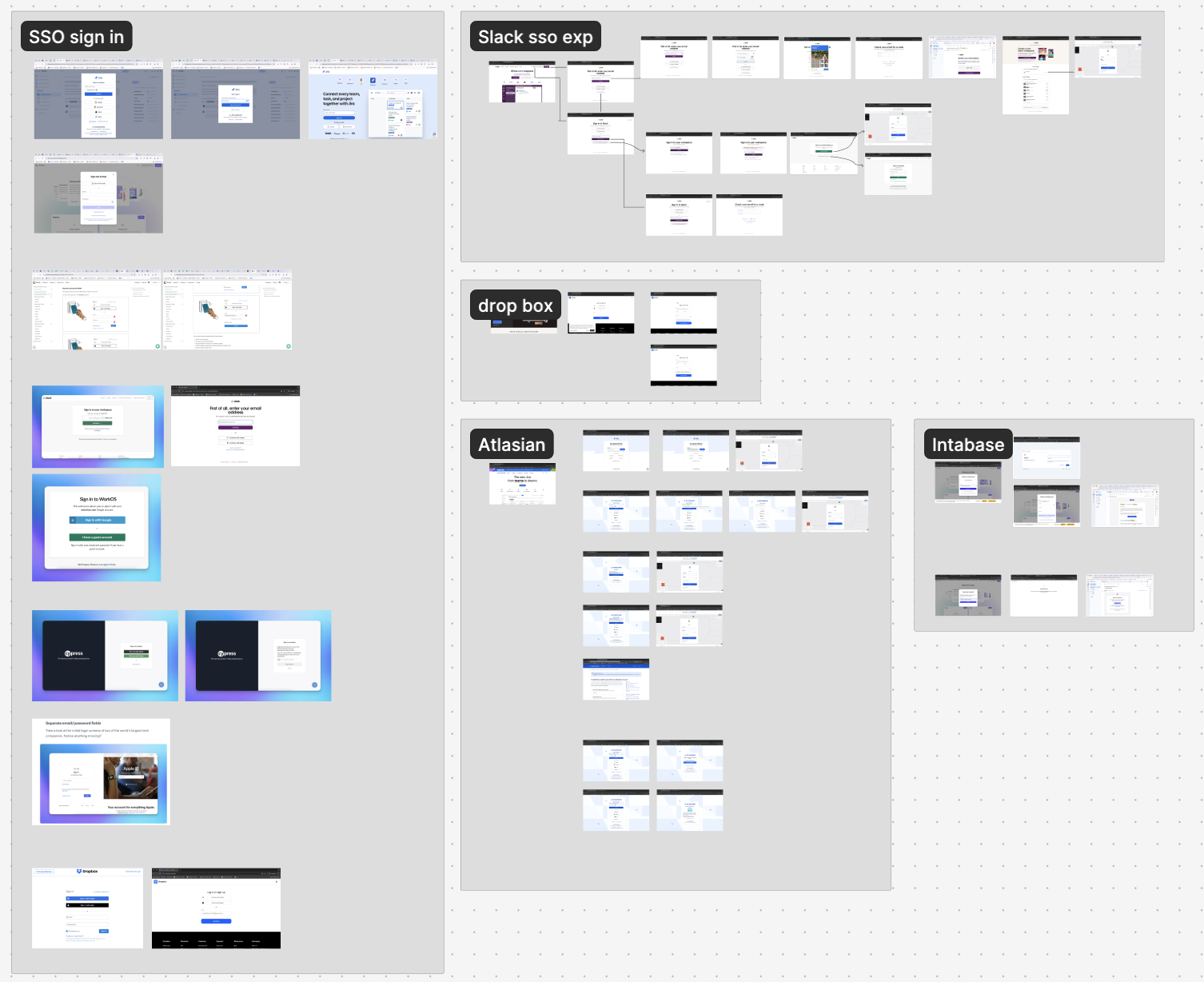
  • How other vendors solved this — A competitive teardown of how other IAM/IdP vendors handle enterprise identity.
  • Frameworks that shaped my thinking — The mental models used to reason about the problem.
  • Five principles — What I set before drawing a single screen.
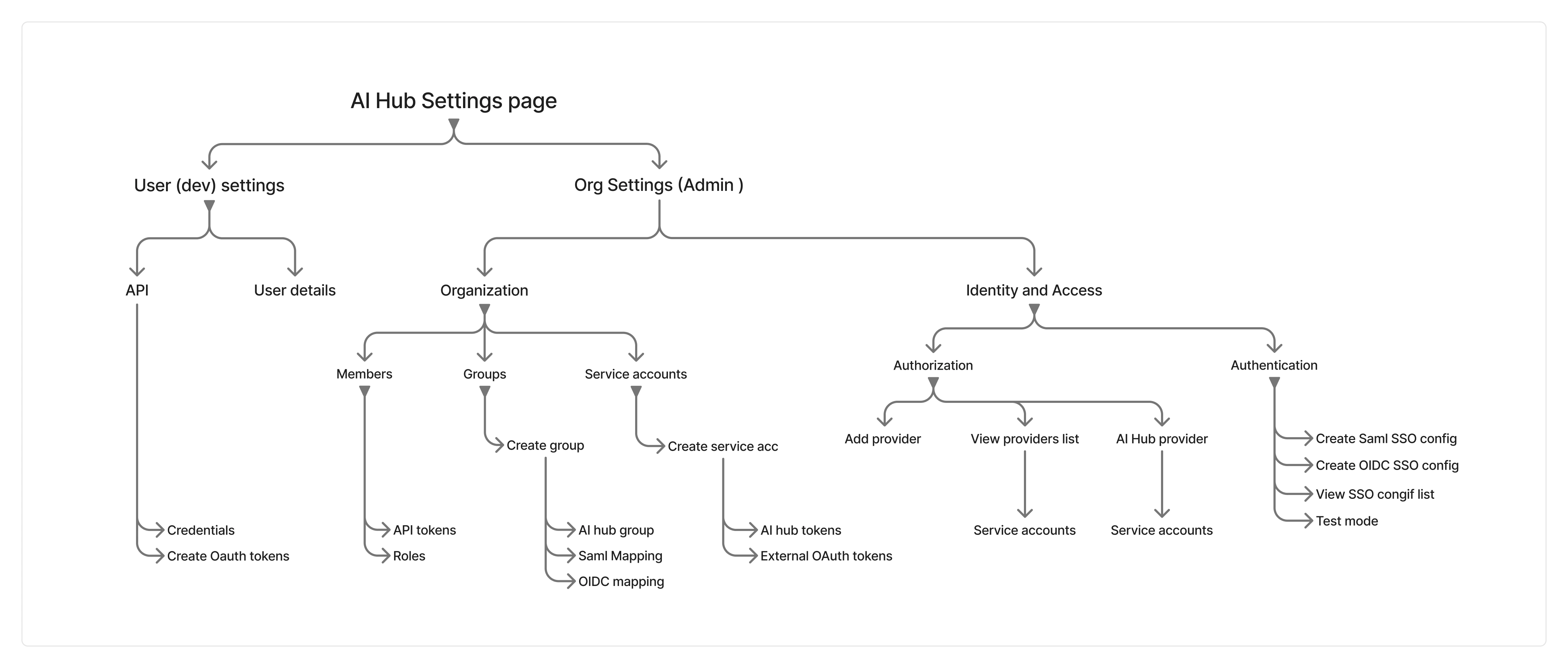
  • Mapping three pillars into one system — Unifying SSO, group mapping & OAuth into one IA.
  • Usability evaluation — How the design was tested and validated with users.
  • How I used AI — Where AI tooling entered the design process itself.
  • Collaboration — Working with engineering, PM & security stakeholders.

Usability evaluation

Tested with internal participants who mirror the real personas (solution engineers, support engineers and platform engineers who configure customer IdPs for a living), plus configuration walkthroughs with early customers.

Task Participants Success rate Median time Notes
Configure SAML SSO end-to-end 4 Admin 75% 6 min
  • 1 participant misread the ACS URL field on first try
  • Metadata upload was preferred over manual entry
  • Test-before-enforce step reduced hesitation to proceed
Configure OIDC SSO end-to-end 5 Admin 80% 4 min
  • Faster than SAML: discovery URL auto-fills most fields
  • 1 participant pasted the wrong URL type (auth vs. discovery)
  • No confusion once the field was auto-validated
Map an IdP group to an AI Hub group 6 Admin 83% 3 min
  • Confusion only on the many-to-one mapping step
  • Sync-timing note prevented "is it broken?" moments
  • Participants expected group auto-creation, which is not supported
  • Quickest task once the mental model clicked
Register an OAuth provider + account mapping 4 Engineer 50% 9 min
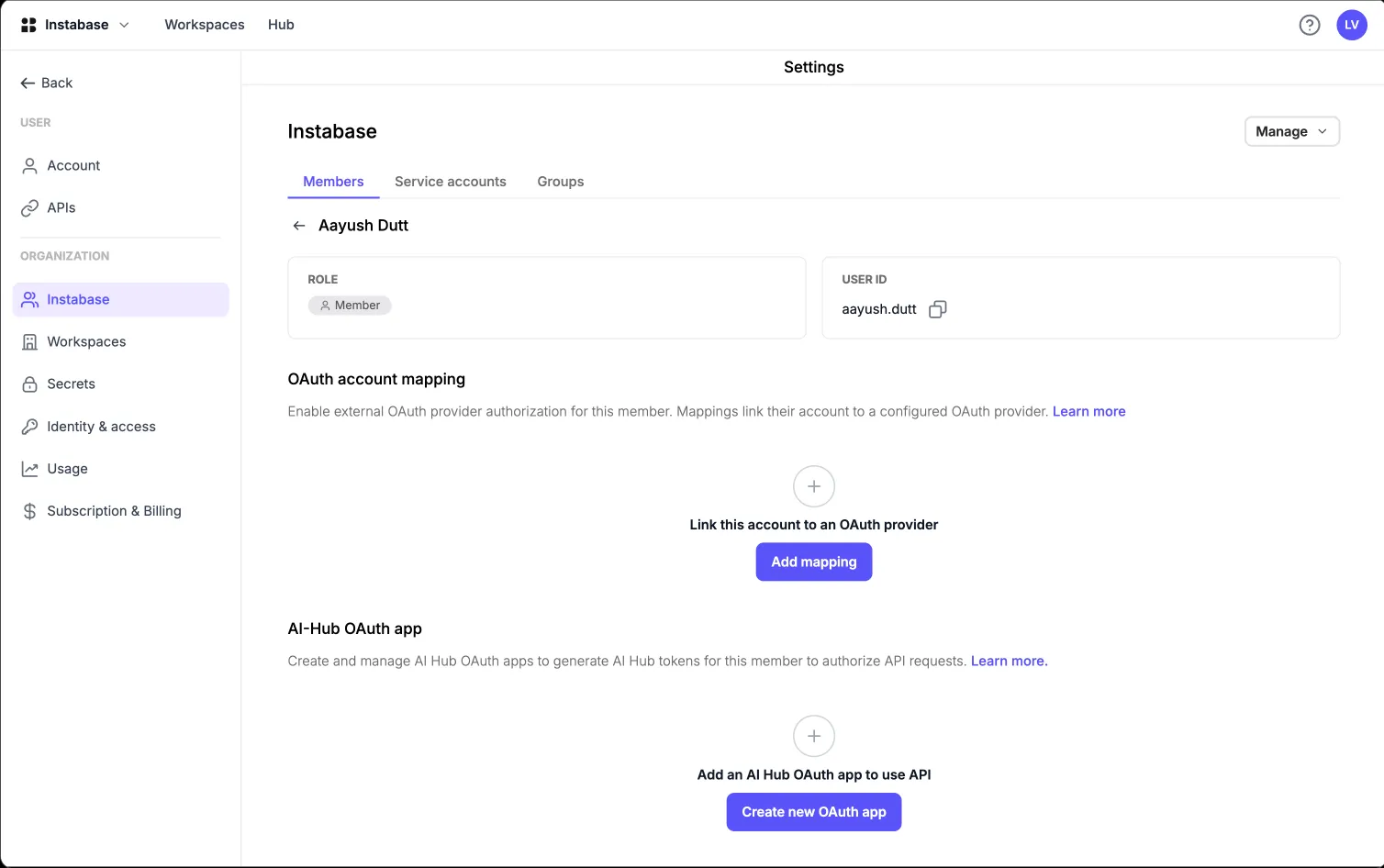
  • 2 of 4 needed a hint to find account mapping under the member page
  • Provider config vs. account mapping split wasn't obvious upfront
  • Once found, mapping itself took under a minute
  • Lowest success rate of all five tasks
Make a first successful authenticated API call 4 Engineer 75% 5 min
  • Copy-pasted sample code worked first try for 3 of 4
  • 1 participant hit a scope error, resolved by re-reading the docs
  • Placeholder token in samples caused no confusion

What testing changed

Feedback

"I don't know which of these fields my IdP calls what — I'm guessing." Participants tab-switched constantly and transcribed values by hand.

Change made

Field labels carry per-IdP naming, and the setup surfaces the exact place in each of the 8 supported IdPs where each value is found (Exact IdP field names, import and export capabilities).

Feedback

"So if I save this, is SSO on now? Am I about to break login for everyone?"

Change made

Saving a configuration and enforcing SSO became two separate, clearly labelled steps, with the password fallback explicitly held open until a successful test.

Feedback

"I created the mapping but the group is empty — did it fail?"

Change made

Sync timing stated inline at the moment of creation, so an empty list reads as expected behaviour rather than failure (showing messages in confirmation modal and table empty state).

Feedback

"Why can't I just paste the role name into the scope? These UUIDs are unreadable."

Change made

Kept immutable role UUIDs (renaming a role must never change a live token's power) but shipped a copyable role-to-UUID reference and worked scope examples alongside the field.

Changes based on feedback

Feedback

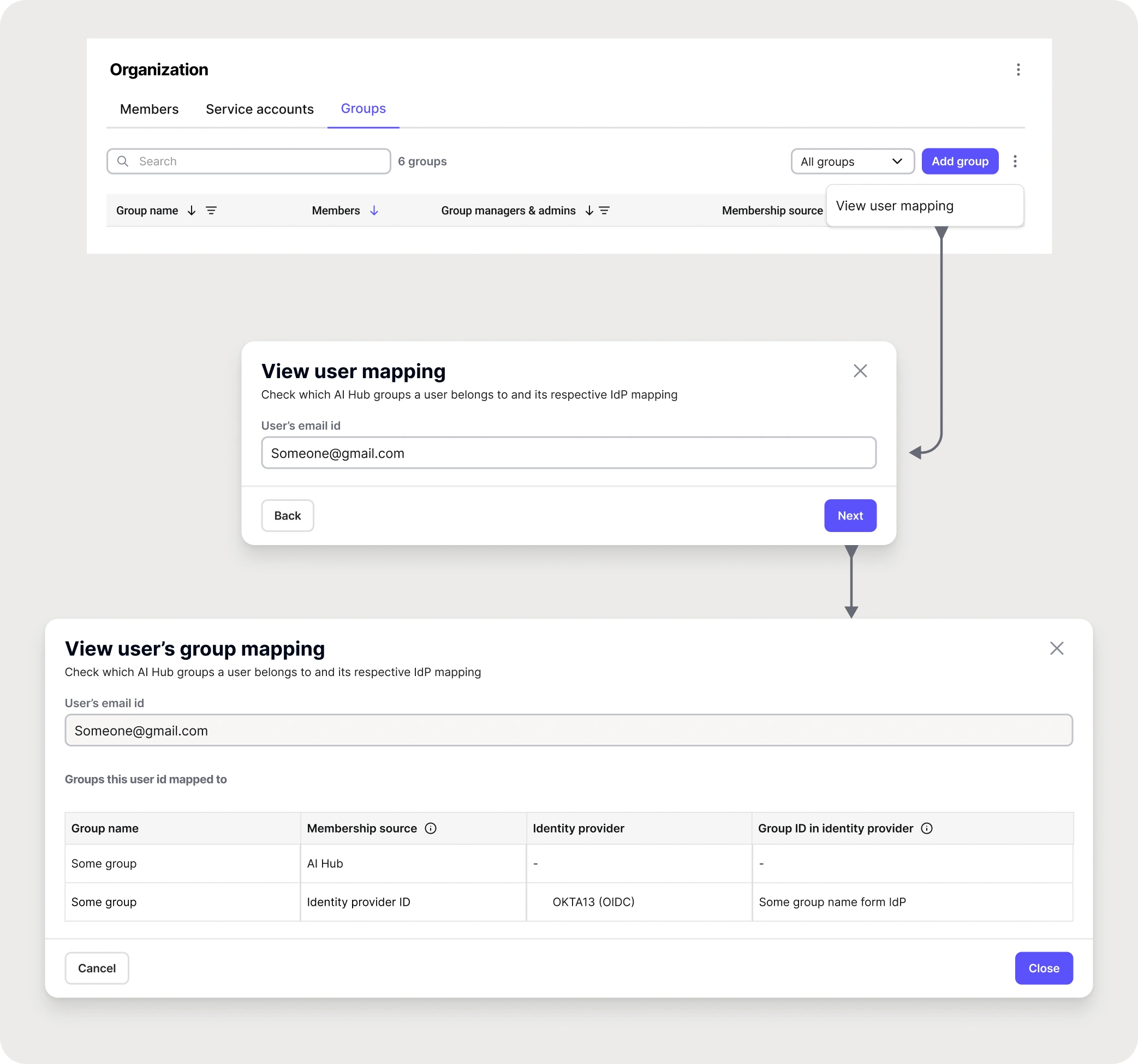
When existing orgs transition from old to new RBAC, they might miss users in the group mapping. It's very hard to confirm if a user belongs to a specific group.

"We have to open every group and check manually."

Change made

Created a "verify user" tool inside groups: search for a user and instantly see every group they belong to. It turns a manual, error-prone check into a debugging step.

Verify user

Impact & results

What I'd call success

Engagement is the wrong measure for identity features, since nobody wants to spend time in an SSO settings screen. I defined success as less friction and less risk.

SSO adoption

Why: share of eligible enterprise orgs with at least one working SSO configuration. It's the clearest sign customers actually use it.

Time to first successful SSO login

Why: measures the setup experience end-to-end, across the part of the journey that happens inside the customer's own IdP.

Auth support tickets per org

Why: the 22-issue log is the baseline. If the design worked, this number falls even as more orgs onboard.

Share of API calls on OAuth tokens

Why: the migration metric: how much traffic has moved off long-lived opaque tokens.

Manual group edits per org

Why: group mapping should make manual membership management disappear. Falling edits mean access now follows the org chart.

Orgs enforcing SSO-only

Why: enforcing SSO means the customer trusts the configuration enough to remove the password fallback. It's the strongest confidence signal available.

Deals unblocked

Why: the reason the work existed. Count of opportunities where auth was a named blocker and is no longer.

Environments avoided

Why: MT customers no longer need a dedicated single-tenant environment purely to get SSO, a direct infrastructure and margin saving.

Adoption and retention in the first months after each release

SSO configurations created since Release 1

9 orgs configured SAML or OIDC SSO, completing setup without a support ticket.

External OAuth adoption since Release 3

37% of enterprise API traffic now authenticates with IdP-issued JWTs instead of long-lived tokens.

Support load auth-related tickets

60% reduction in auth tickets per onboarded org versus the pre-release baseline of 22 catalogued issues.

Manual group management after group mapping

33% fewer manual membership edits in orgs using IdP group mapping.

Impact on business (enterprise pipeline & cost)

Enterprise deals
+9 deals unblocked
Auth no longer a blocker
ARR influenced
8-figure revenue
in security-gated deals
ST environments avoided
0 workaround instances
ST Infra cost saved
Initial org setup time
-82%
4 weeks to 5 days

Reflections & learnings

The research already existed in support threads

Three years of support threads and call notes contained a fully evidenced problem list. I didn't need new studies. I needed to treat that archive as research and have tools that could process it.

The best security fix removed a field

Domain claiming was solvable with an approval workflow, a verification step and three new states. Deleting the concept solved it completely and made the product simpler. Security UX rewards subtraction more than any other area I've worked in.

I had to understand JWT validation

I could not have argued for immutable role UUIDs, or against many-to-one client mapping, without understanding JWT validation properly. Designers working on infrastructure have to earn technical credibility. AI helped me learn faster, but I still had to learn it.

Listing gaps made the rest believable

Writing "we do not support SCIM" made the rest of the matrix credible. Presales stopped hedging, security reviewers stopped digging, and the roadmap gained its most defensible items.

Most failures came from state nobody could see

Nearly every failure here came from invisible state: hidden flags, sync delays, silent attribute errors, and tokens inheriting permissions. Most of what I designed was making that state legible at the moment someone acts on it.

What I'd do differently

I'd design the entitlement and gating experience before the feature, not after the tickets. Half our post-launch support load came from a capability existing but being invisible. That problem cost far more than the feature work itself and was entirely predictable. I would also have pushed for the docs-accuracy gate at the start of the project rather than after a customer found the discrepancy for us.

Present